2
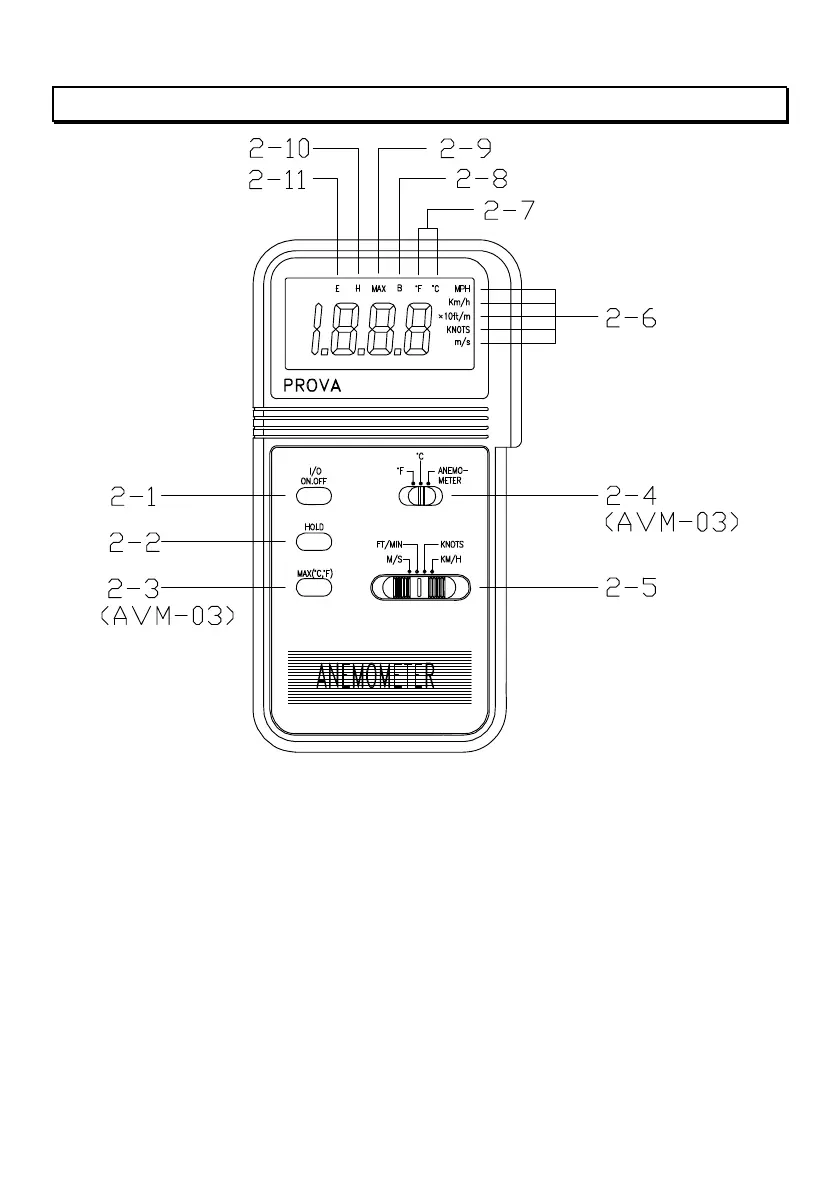
II. Front Panel Description
Figure 1
2-1 On/Off Push Button 2-7 Units Symbols
2-2 Data Hold Button 2-8 Battery Low Symbol
2-3 Max. Hold Button (Temp.) 2-9 Max. Hold Symbol for Temp.
2-4 Function Selection Switch 2-10 Data Hold Symbol
2-5 Units Selection Switch 2-11 Error Symbol
2-6 Units Symbols of Velocity


 To Next Page