4
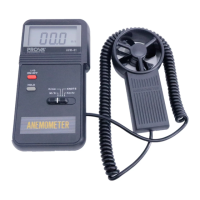
B. Measurement of Wind/Air Temperature (AVM-03)
1. Press the on/off button to turn on the thermo anemometer
2. Select
°
C or
°
F by moving the function switch
3. Let the wind pass through the vane ( A thermocouple is built into the
center of the vane).
4. Read the reading from LCD.
C. Holding the Reading
Press the hold button to hold the reading of wind velocity or temperature.
D. Finding the Maximum Temperature (AVM-03)
Press the max button, the maximum temperature measured during the
measurement shall be displayed and updated on LCD.


 To Next Page