019
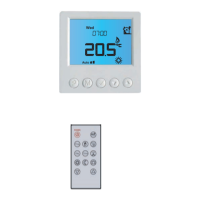
This thermostat is fitted with a real time clock. It is essential
that the clock time and day are set accurately if you require
your programmed events to start on time.
Follow the easy steps.
Please ensure that thermostat is set to
AUTO before continuing. (See above if
you do not have AUTO displayed)
Programming mode has a time-out limit whereby if no buttons are depressed
within a set period of time, it reverts back to the main screen. This time can be
adjusted in the menu settings feature number 05.
In
AUTO mode, the thermostat executes the pre-programmed schedules.
This is factory default to switch on each day at 07:00, off at 9:30, on again at
16:30 and off at 22:30 with a default temperature of 22deg Celsius. The ‘off’
temperatures are set to 16 degrees, so if the room temperature drops below this
the heating will come on, offering frost and damp protection.
To adjust these schedules, follow the easy steps in ‘How to Programme Your
Thermostat’
MANUAL mode is represented by a hand symbol in the bottom left corner
of the screen. In manual mode, the thermostat maintains a constant set
temperature manually set by the user 24/7 until it is turned off.
If
OVERRIDE appears, this means that you are in AUTO but have manually
altered the temperature. To remove
OVERRIDE press and hold the
button for 3-5 seconds and
AUTO should appear.
To alter the temperature,
1. Press
or button once, the ‘set’ temperature starts flashing.
2. Press
or button again to adjust the set temperature.
3. Wait for 5 seconds to confirm the setting, Now your thermostat will
maintain the new set temperature.
Press the
M
button to choose between Auto and Manual mode
Set the Time and Day
How to Programme Your Thermostat
Auto / Manual Mode
Auto Mode Manual Mode
How to use Manual Mode:
Step 1. Press the button and the time will flash
Step 2. Use up or down button to change the time (Hold up or down button to change by 15 minutes each time.)
Step 3. Press button again, the day of the week will flash
Step 4. Use up or down button to change the day of the week
Step 5. Press button again to accept and exit
Step 1. Once in AUTO mode Press and hold the
M
button for 5 seconds until PROG
is displayed with a day of the week flashing.
Step 2. To Select all days of the week press and hold the UP arrow until Mon to Sunday
appears. If you want to programme an individual day just tap the UP button until you
have selected the day of the week that you want to programme.
Step 3. Press the
M
button once to display programme 1. Use the Up or Down
buttons to set the start time (default 07:00). (Hold Up or Down button to change by 15
minutes each time.)
Step 4. Press the
M
button once again and use Up or Down button to set the desired
temperature to be maintained for programme 1. (Default 22°C)
Step 5. Press the
M
button once to display programme 2. Use the Up or Down
button to set the start time (default 09:30). (Hold Up or Down button to change by 15
minutes each time.)
Step 6. Press the
M
button once again and use Up or Down button to set the desired
temperature to be maintained for program 2. (Default 16°C)
Step 7. Press the
M
button to bring up programme 3. Use Up or Down button to set
the start time (default 16:30). (Hold Up or Down button to change by 15 minutes each
time.)
Step 8. Press the
M
button again and use Up or Down button to set the desired
temperature to be maintained for programme 3. (default 22°C)
Step 9. Press the
M
button to bring up the programme 4. Use Up or Down button to
set the start time (default 22:30). (Hold Up or Down button to change by 15 minutes
each time.)
Step 10. Press the
M
button again and use Up or Down button to set the desired
temperature to be maintained for programme 4.(default 16°C)
STEP 11. Press the
M
button to accept and exit.


 To Next Page
 Loading...