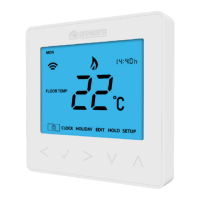
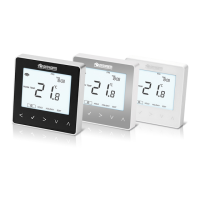
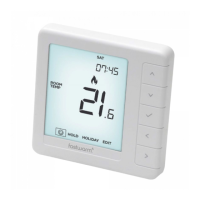
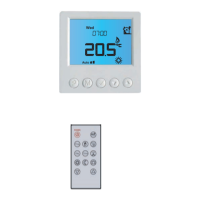
Need help?
Do you have a question about the prowarm ProTouch Wifi and is the answer not in the manual?
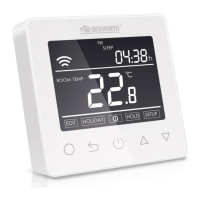
Lists key features including power monitoring, holiday mode, time display, key-lock, and optimum start.
Details supply voltage, maximum load, standby power, and maximum wire diameter.
Instructions for loosening the fixing screw, connecting wires, and mounting the back panel.
Guidance on aligning and fixing the front and back panels of the thermostat.
Steps to download the ProTouch WiFi app and add a new home configuration.
Instructions for connecting the thermostat to WiFi and completing the device setup via the app.
Diagram and labels for connecting power, floor sensor, and other wires to the thermostat terminals.
Recommendations on keeping max load within limits to prolong the thermostat's lifetime.
How to turn the thermostat on/off and set the current time, including day, hour, and minute adjustments.
Instructions for temporarily changing the temperature and enabling/disabling the key-lock function.
How to set and cancel holiday mode to maintain frost protection temperature for a specified period.
Instructions for setting and canceling the hold mode to maintain a specific temperature until a set time.
Guide to setting temperatures for wake, leave, return, and sleep periods for each day of the week.
Table showing default time and temperature settings for weekdays (Mon-Fri) and weekends (Sat-Sun).
Details on room/floor temp calibration, frost protection, sensor selection, limits, units, and output delay.
Explanation of switching differential for temperature changes and reverse output for cooling systems.
Information on weekly schedule options, adaptive function, and resetting parameters to default values.
Functionality that automatically shuts off heating for 15 min when a sudden room temperature drop is detected.
Identifies fault codes E1 and E2 related to sensor short-circuits or disconnections.
 General
| Connectivity | Wi-Fi |
|---|---|
| Display | Color Touchscreen |
| Scheduling | 7-Day Programmable |
| Type | Smart Thermostat |
| Control Method | App, Touch |
| Temperature Range | 5°C to 35°C |
| Control | Remote via App |
| Energy Saving Features | Geofencing |

 To Next Page