EN
DE
7
NL
© Prowise 2018
• Switch off the main power supply immediately, unplug the lift from
the electrical outlet, and contact our service desk if:
▫ The power cable or plug is damaged. Only replace defective cables
with original parts. Never repair damaged cables and plugs yourself;
replace them.
▫ If the appliance is damaged or should substances fl ow into the
device.
▫ The device emits unusual noises or odours. This could be the result
of an internal short circuit.
WARNING!
Warning: Potential (serious) injury
• Do not stand on a chair or a stool or anything else to operate the lift,
children in particular! You risk falling down, with potential serious
injury as a result.
• Never let children play with the lift; danger lurks in that a child can
become entrapped while the lift is being adjusted in height or in angle
of tilt.
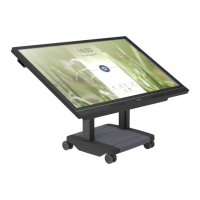
• Never let children hang onto the screen. Not even when the screen is
being used as a touch table.
• To mitigate the risk of stumbling, ensure that the connecting cable is
not obstructing the walkway.
• Do not touch the moving parts of the lift while it is being adjusted in
height or in angle of tilt. This can cause entrapment with potential
serious injury as a result.
• Only move the lift over a stable, fl at surface.
• Caution! Ensure there are no objects or people in the lift's walkway
while it is being moved.
• Follow the assembly instructions as described in the Quick Start Guide
or Assembly Guide.
CAUTION!
• Always install the lift in the vicinity of a power outlet. This power
outlet must be easily accessible when the lift is in use.
• Only connect the lift to a grounded power outlet.


 To Next Page