EN
13
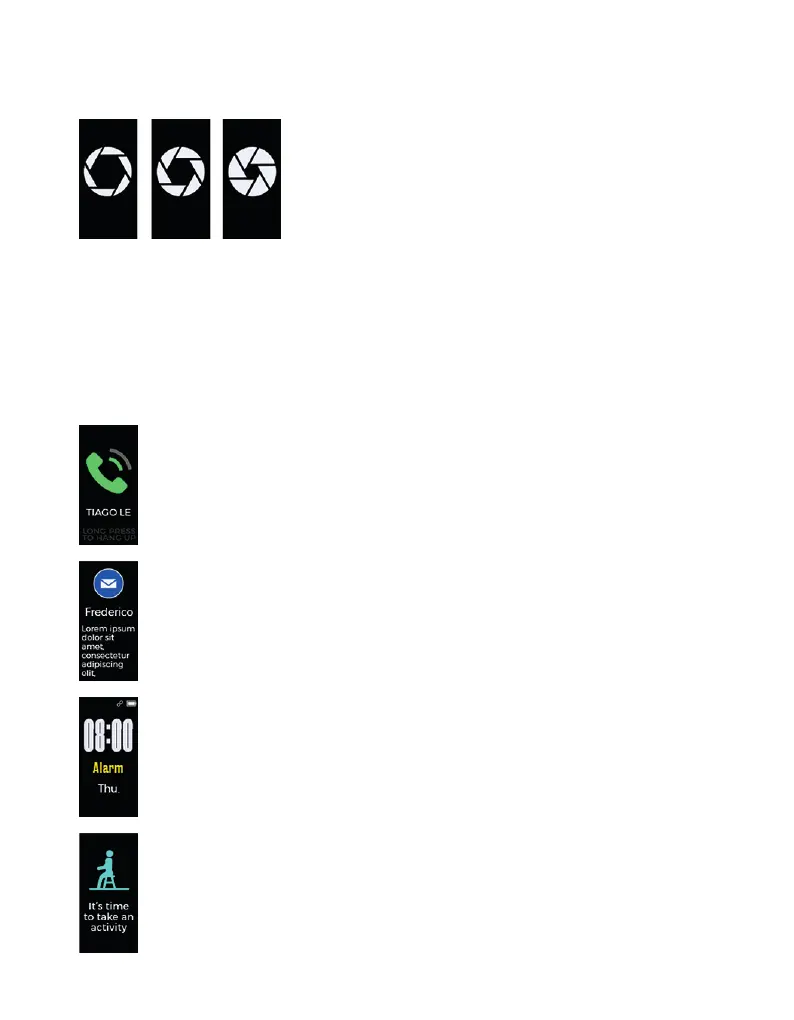
REMOTE CAMERA SHOOTING MODE
Turn camera shooting ON in the Smartband app to view the remote shooting screen. Control
remote photo shooting with the following actions:
• Lift wrist
• Tap the touch key
Press and hold the touch key to quit the Remote Camera Shooting Mode.
NOTIFICATIONS MODE
Incoming call
To receive notications on your Smartband, you’ll need to adjust your preferenc-
es on the device app.
Tap to cancel a notication.
Press and hold to hang up a call.
Received messages
To receive notications on your Smartband, you’ll need to adjust your preferenc-
es on the device app.
If you have several messages to read, tap the touch key to proceed to the follow-
ing ones.
Alarm
Alarm mode will only be displayed on the screen if switched to ON in the Smart-
band app.
Alarm types: Wake up | Pill & Med Reminder | Sleep Time | Exercise | Meetings
Sedentary
To receive notications on your Smartband, you’ll need to adjust your preferenc-
es on the device application.



 To Next Page