EN
14
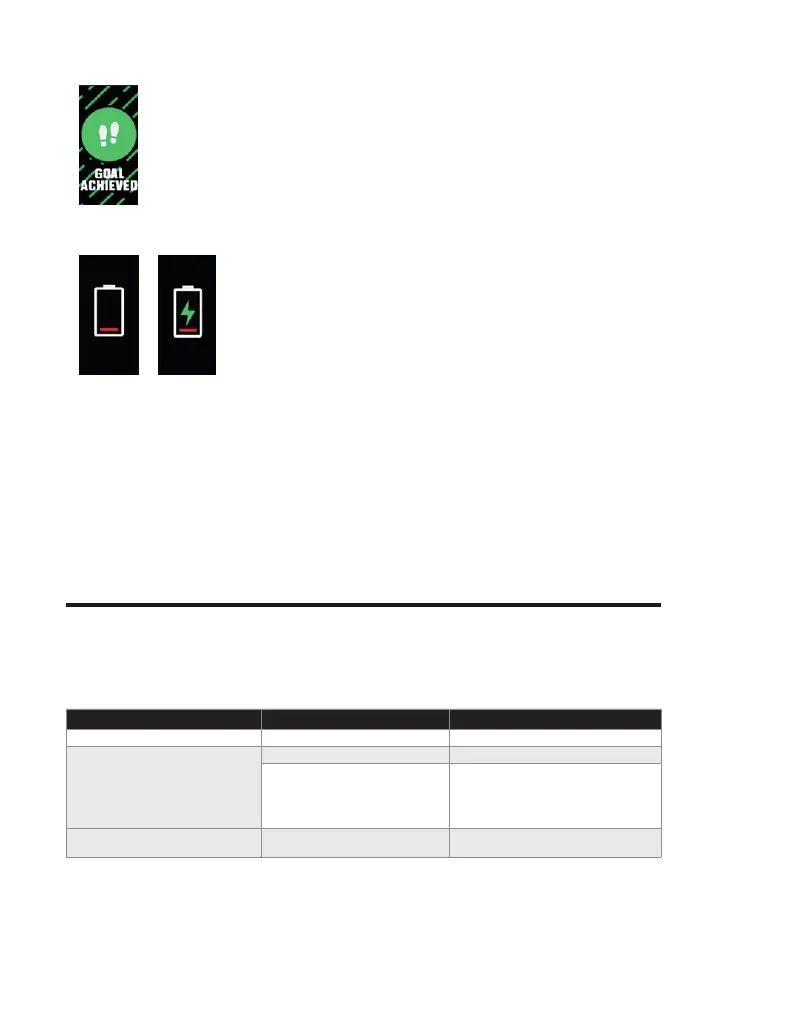
Goal Tracker
When you achieve a goal, the Smartband will vibrate and a notication will be
displayed.
Tap the touch key to close the notication.
Low Battery Level
Low battery, please charge your Smartband.
Device error
Whenever an error is detected, the following screens will be displayed:
01 - Unusual acceleration detected
02 - Unusual heart rate detected
03 - Irregular touch function detected
04 - Abnormal ash detected
Troubleshooting
Some issues that may arise can be solved by the user. If the problem persists after having
tried the following solutions, please contact Prozis customer service.
PROBLEM
CAUSE SOLUTION
The Smartband does not start. Low battery. Charge the battery.
Cannot connect the smartband to my
smartphone.
Your smartphone’s BT is turned off. Turn BT on.
The distance between devices is
too large.
Keep a maximum distance of 0.5 meters
between the Smartband and your smart-
phone. Once devices have been paired,
keep a maximum distance of 10 meters (the
usual BT communication distance range).
Not all possibly measured data are
available.
The Smartband is not synchronized
with the app.
Make sure to frequently synchronize the
Smartband with the app.



 To Next Page