Installation and Operating Instructions
AV-3000 and AV-5000 Power Centers
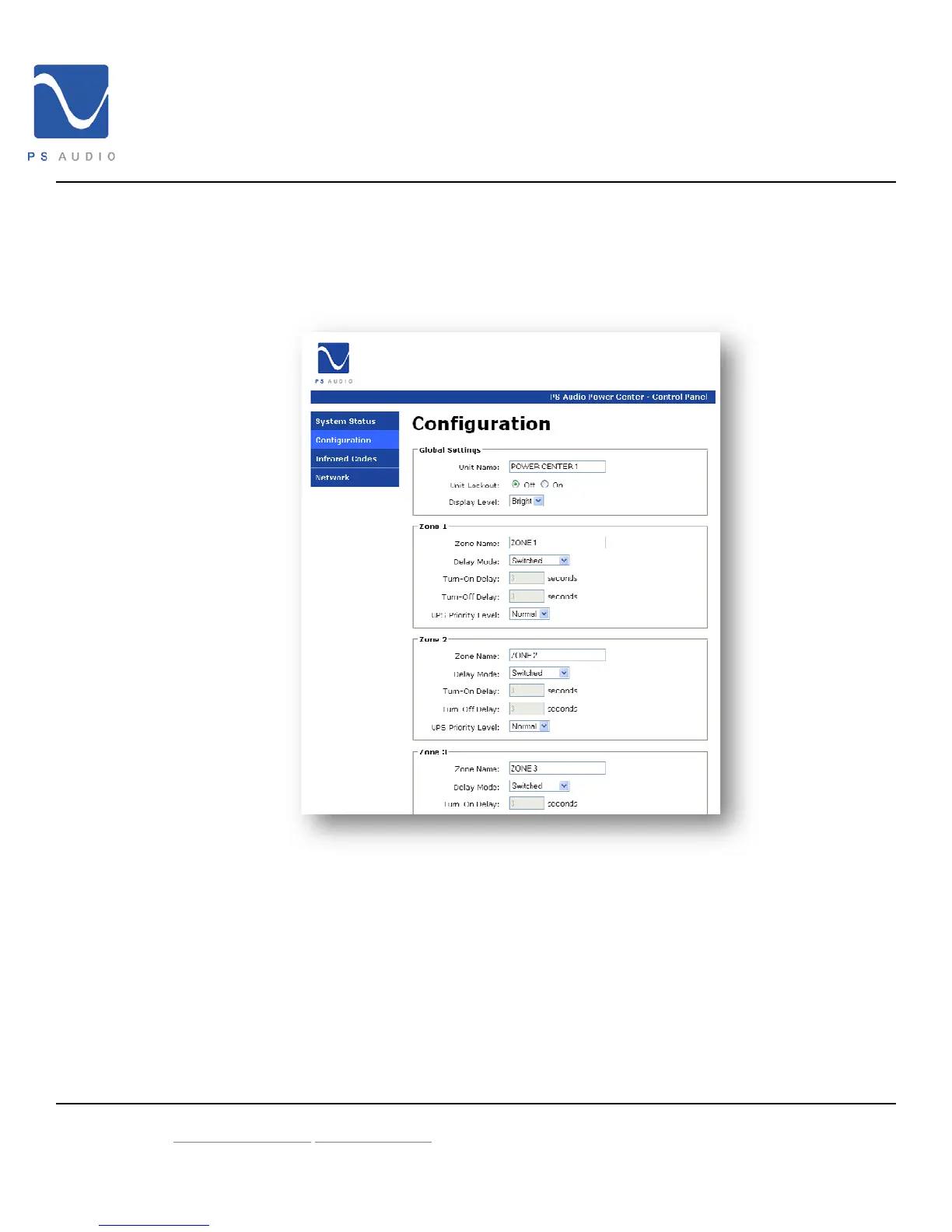
2.6.1.2 Control Panel – Configuration
The Configuration page allows you to control some of the more advanced features of PS
AV Power Center such as device name, front panel lock, display outlet naming, Switch
Mode and UPS Priority
2.6.1.2.1 Unit Name
You may enter a description of your PS AV Power Center to help you
remember the location within your home, such as “Theater Rack”
2.6.1.2.2 Front Panel Lock
Use this feature to lock or unlock the front panel of your PS AV Power
Center
4826 Sterling Drive, Boulder CO 80301 15-052-21-1 Rev B
PH: 720.406.8946 service@psaudio.com
www.psaudio.com
©2009 PS Audio International Inc. All rights reserved.



 To Next Page