Installation and Operating Instructions
AV-3000 and AV-5000 Power Centers
2.6.1.2.3 Display Level
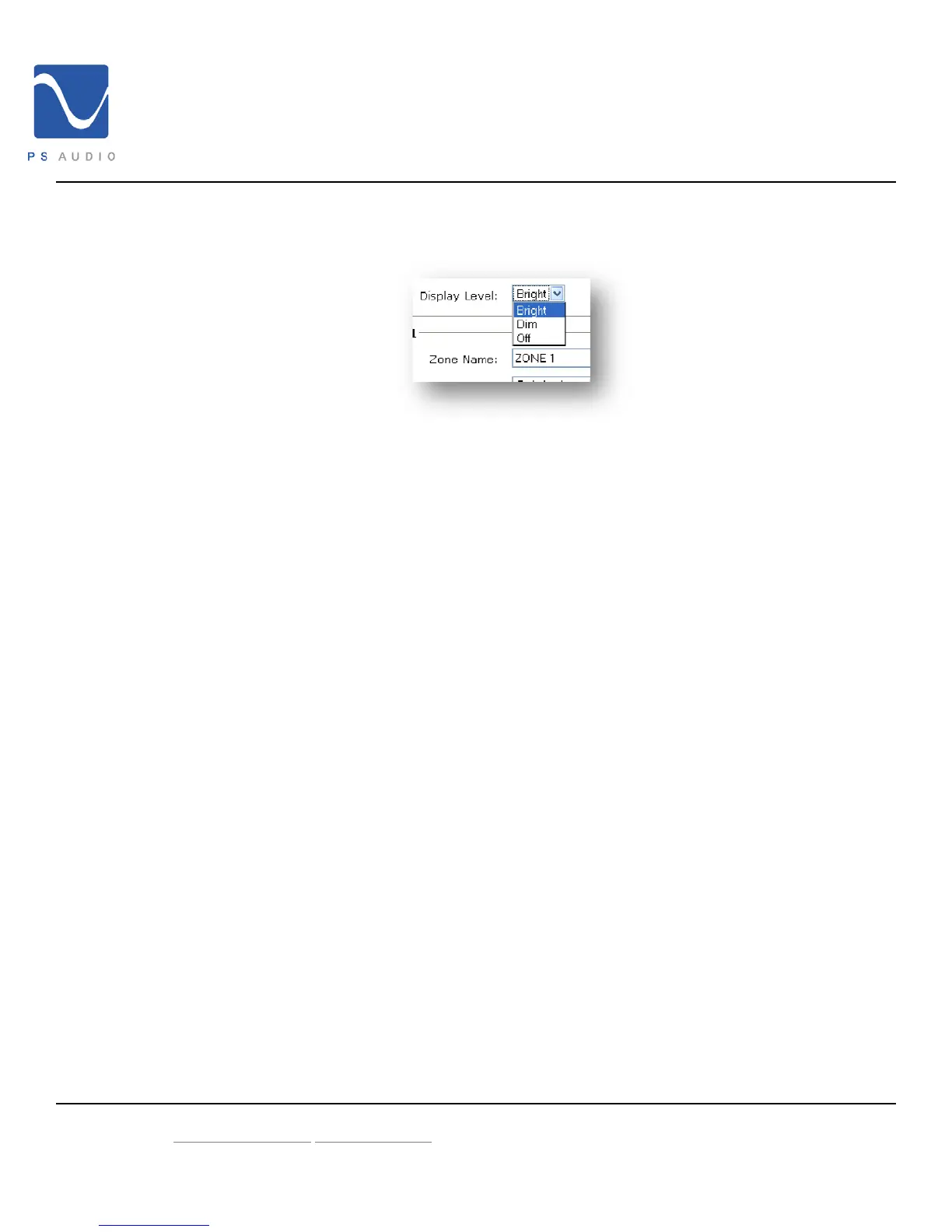
Change the brightness of the PS Audio logo power button and display
Bright
Default - full brightness
Dim
Dims the display
Off
Defeats the display.
Note: When the Display Level is set to Dim of Off touching the
capacitive display (AV-5000 only) or buttons will illuminate the
display to Bright for 10 seconds and then return to the selected
setting
2.6.1.2.4 Zone Name
You may label each outlet to match the device connected. Type the
desired label in the text field above each outlet.
4826 Sterling Drive, Boulder CO 80301 15-052-21-1 Rev B
PH: 720.406.8946 service@psaudio.com
www.psaudio.com
©2009 PS Audio International Inc. All rights reserved.



 To Next Page