4826 Sterling Drive, Boulder, CO 80301
PH: 720.406.8946 service@psaudio.com www.psaudio.com
Getting Started
Getting Started xvi
©2016 PS Audio Inc. All rights reserved.
®
Owner’s Reference DirectStream Junior
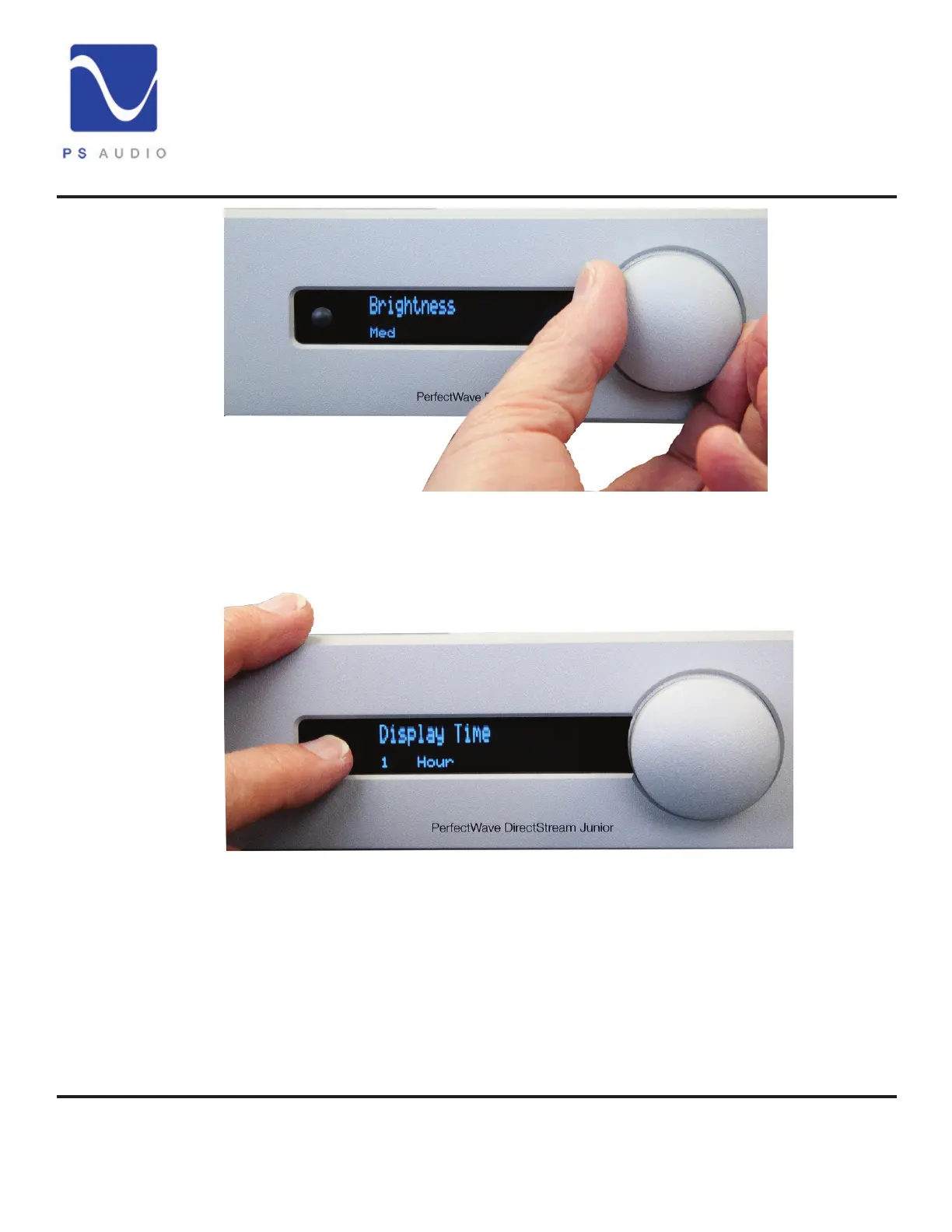
The unit’s screen brightness can be adjusted in the setup menu as well. The
display can be turned o by pressing the button labeled “DIM” located on the
remote. When you are in the DIM mode, the screen will come back on when you
turn the volume control knob or press a remote key. To turn the DIM feature o,
press “ON.” You can also adjust brightness in the setup menu.
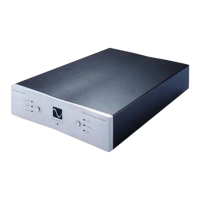
You can also adjust the length of time the display remains visible, from 10 seconds
to 1 hour, or select AUTO. AUTO will activate the display when any changes occur,
like a new volume setting or input change. It will go dark when no music is playing.
When music begins, the display will automatically display the volume setting.
DirectStream Junior can become far more than a high-performance stereo DAC.
With its built-in Network Bridge II that connects to any home network. The Bridge
II allows playback from a source not directly connected to DirectStream Junior
Screen
brightness
Screen on-time
Network Bridge


 To Next Page