21
Toll free technical assistance is available
via our technical hotline: 1-800-523-2558
Mon-Fri, 8:00 A.M. to 4:30 P.M. Eastern Standard Time
1225 Tunnel Road - Perkasie, PA 18944 - 215-257-3621 - Fax 215-257-4288
Web site - www.psgcontrols.com E-mail - sales@psgcontrols.com
R
PSG Controls, Inc.
Cleaning:
This thermostat has a flame retardant ABS enclosure which is easily
cleaned with a dry cloth or vacuum brush. Occasional soiling may be
cleaned with a soft cloth lightly dampened with water and/or mild
cleaning solution. IN NO CASE should this device be directly sprayed
with or exposed to free flowing liquids, including water, which could
penetrate its interior.
20
6. If the thermostat is in the OFF mode and the temperature drops below 38°F
the freeze protection feature automatically activates the heating system.
ICE will appear on the display.
7. The thermostat can be in the OFF mode but the fan can be constantly active.
OFF and FAN ON will appear on the display.
8. If the auto changeover option (Auto) has been selected, the display will alternate
between Auto, current time and room temperature. Setpoint will remain blank
when room temperature is between heat and cool setpoints; the system is idle.
When either heating or cooling become active the setpoint will be visible.
9. To adjust the setpoint when AUTO mode is active, press the up or down arrow
button. The last operating mode (heat or cool) will be recalled or the setpoint
closest to room temperature and AUTO will appear. To adjust either heating or
cooling setpoints, press the MODE button. Press the up or down arrow button
in COOL or HEAT to adjust the setpoint up or down. The heat and cool settings
will automatically adjust to a four degree separation. This four degree separation
is fixed and cannot be changed. When AUTO no longer appears on the display,
pressing the mode button will deactivate AUTO mode.
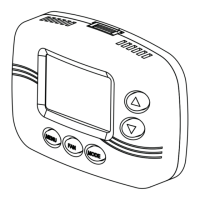
10. To program the event schedule, press the FAN and MODE buttons. PSCH will
appear on the display. If the FAN and MENU buttons are accidentally pressed
PSEt will appear on the display. To cancel the PSEt simply press the MODE
button.


 To Next Page