22
534 Trestle Place Downingtown, PA, 19335 USA · Tel: +1(484)593-2247 · Email: support@ptzoptics.com
RS-485 Interface
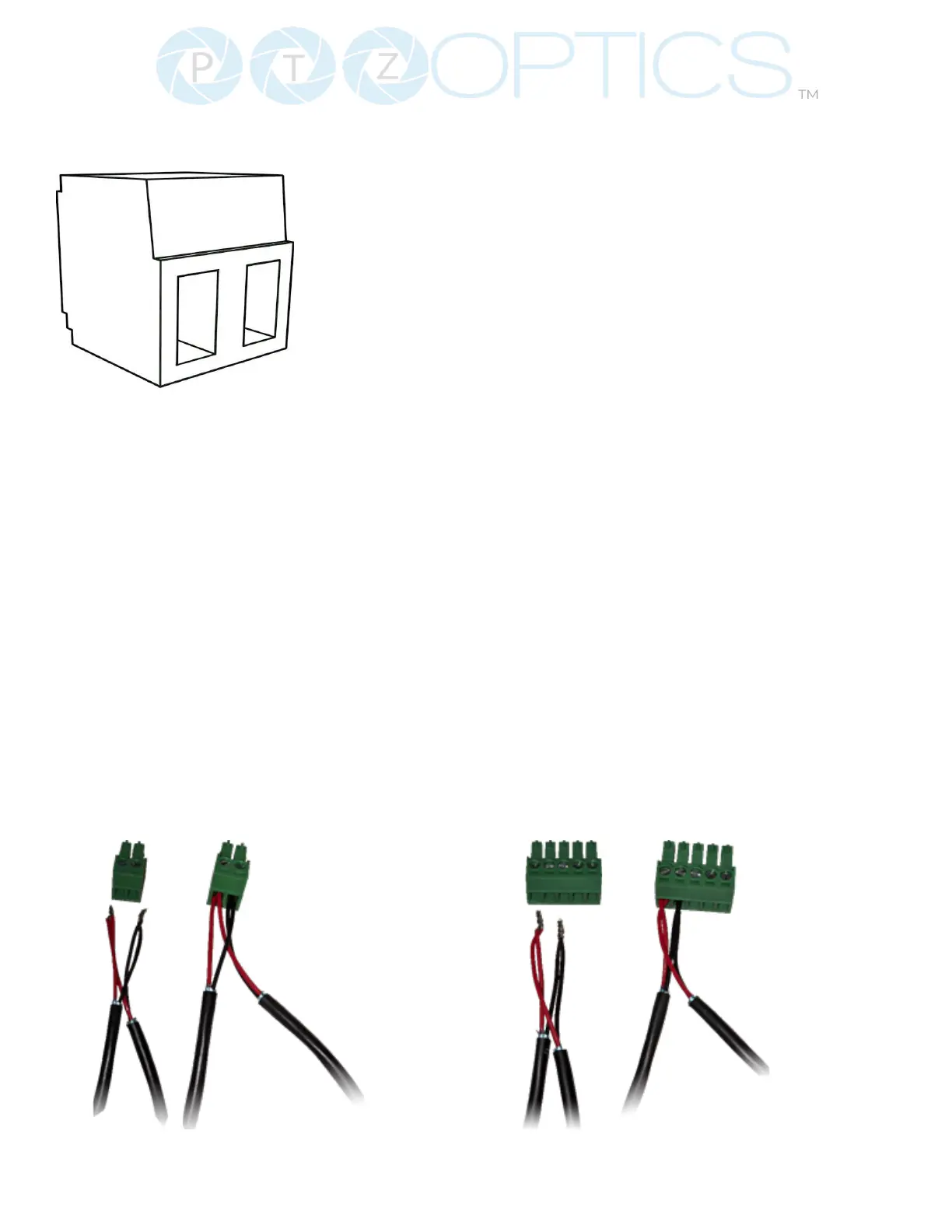
The left phoenix connector port is Positive (+)
The right phoenix connector port is Negative (-)
The camera can be controlled via RS-485, Half-duplex mode, with support for VISCA, Pelco-D, or
Pelco-P protocol. The parameters of RS485 are as follows:
RS-485 Communication Control
Baud rate: 2400/4800/9600/38400;
Starting position: 1 bit
Data bit: 8 bits
Stop bit: 1 bit
Check digit: None
To utilize an RS-485 connection, you will need an unterminated two-conductor cable.
1. Connect the positive (red) wire to the camera’s positive phoenix connector port (left).
2. Connect the negative (black) wire to the camera’s negative phoenix connector port (right).
3. Connect the positive and negative wires to the positive and negative ports on your joystick
controller.
Ŝ To connect multiple cameras, you have the option to connect via daisy-chain or
home run.
4. In either method, multiple wires will be connected to a single phoenix connector port.
RS-485 Daisy-Chain Connection
RS-485 Home Run Connection


 To Next Page