32
534 Trestle Place Downingtown, PA, 19335 USA · Tel: +1(484)593-2247 · Email: support@ptzoptics.com
Color
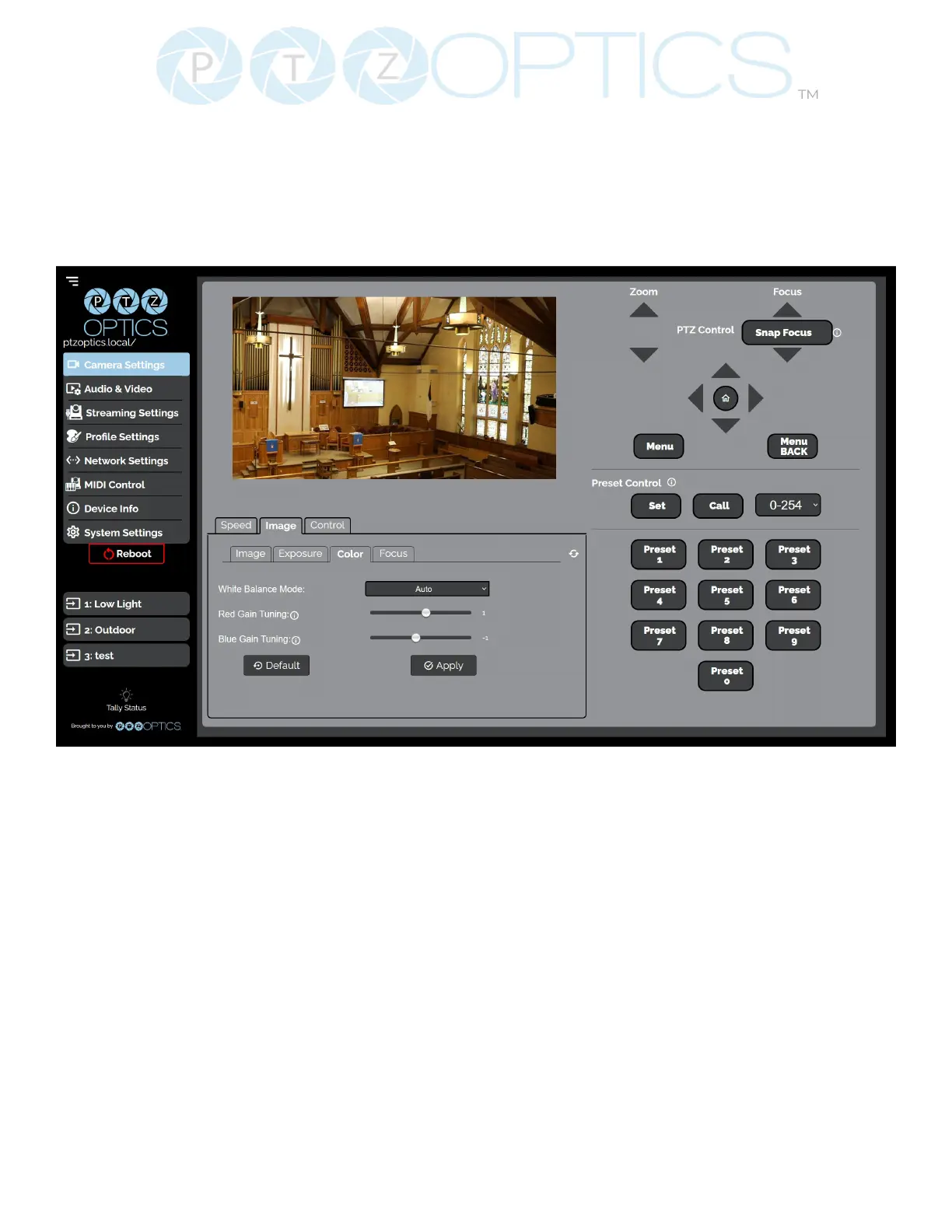
The Advanced Image > Color tab within the Camera Settings page allows you to ne tune the
camera’s white balance and color tint settings to adjust for lighting, as well as ensure images from
multiple cameras match.
▪ You must click the “Apply” button to save the Color settings to the camera.
▪ The “Default” button will revert the Color settings to factory default, as shown in the image
above


 To Next Page