34
534 Trestle Place Downingtown, PA, 19335 USA · Tel: +1(484)593-2247 · Email: support@ptzoptics.com
Control Mode
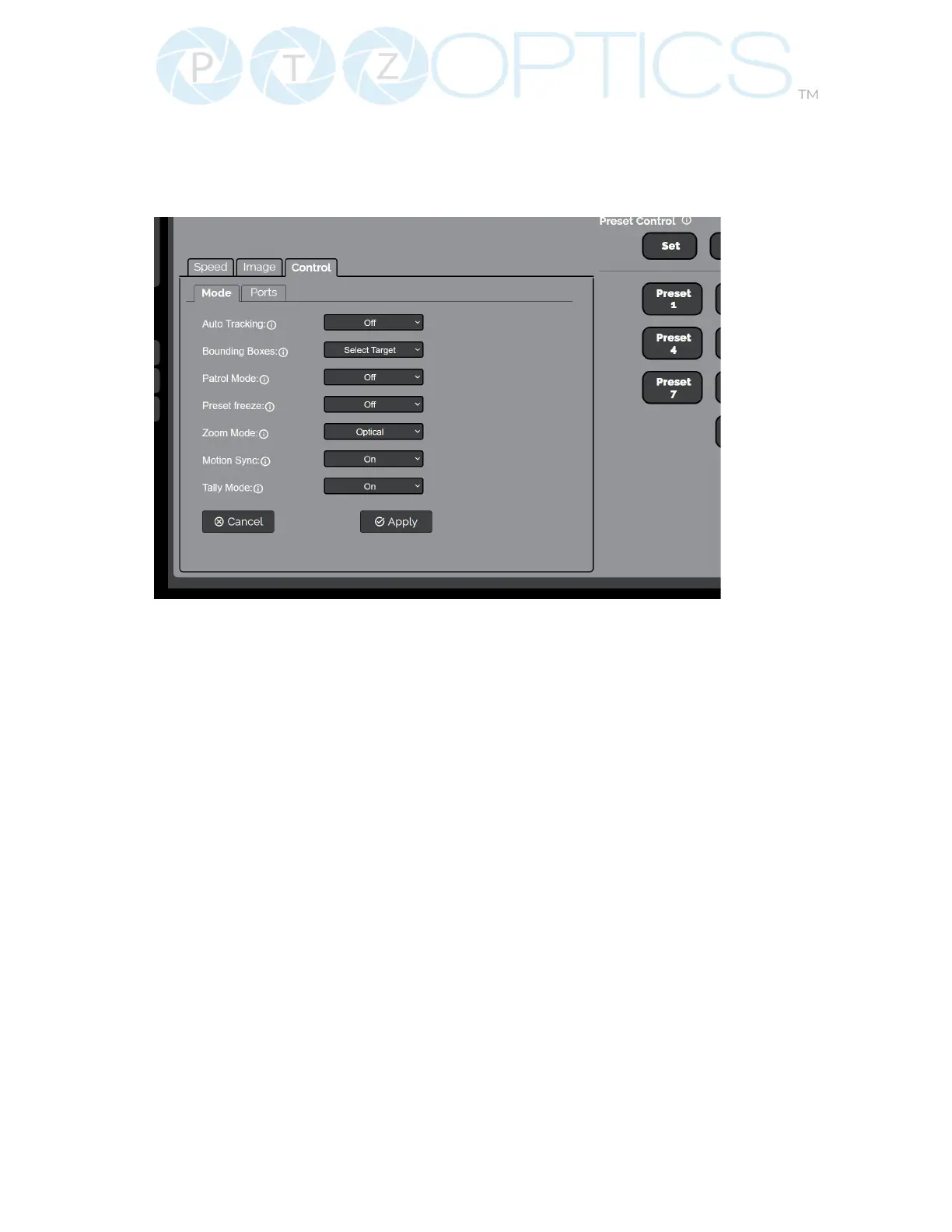
The Control > Mode tab within the Camera Settings page allows you to toggle available camera
modes, such as Auto Tracking, Tracking Box, Patrol Mode, Preset Freeze, Zoom Mode, Motion
Sync & Tally Mode.
▪ Auto-Tracking: Select whether the camera automatically tracks the selected target
Options include: On, O
▪ Tracking Box: Select if/how the Tracking Box is shown around the selected target on the video feed.
Options include: O, Debug, & Select Target
▪ Patrol Mode: When enabled, the camera will call each of the Set presets sequentially.
Options include: On, O
▪ Preset Freeze: When enabled, the video feed will temporarily pause while Calling a preset.
Options include: On, O
▪ Zoom Mode: Select whether the camera utilizes Digital Zoom or not.
Options include: Optical, Digital, and Hybrid (Enabled on the Audio & Video page)
▪ Magnication: (Only available when “Digital” is selected from Zoom Mode) Dene the Digital Zoom
limit.
Options include:2x, 4x, 8x, & 16x
▪ Motion Sync: When enabled, the camera will adjust Pan, Tilt, and Zoom speeds so that all 3 axis stop
simultaneously.
Options include: On, O
▪ Tally Mode: When enabled, the Web Interface’s Tally Status icon at the bottom of the Navigation Panel
will reect the Tally Light on the front of the camera.
Options include: On, O
▪ You must click the “Apply” button to save the Mode to the camera.
▪ The “Cancel” button will revert the Mode settings to the last saved settings.


 To Next Page