49
Ver 2.0 A_6/28/2023
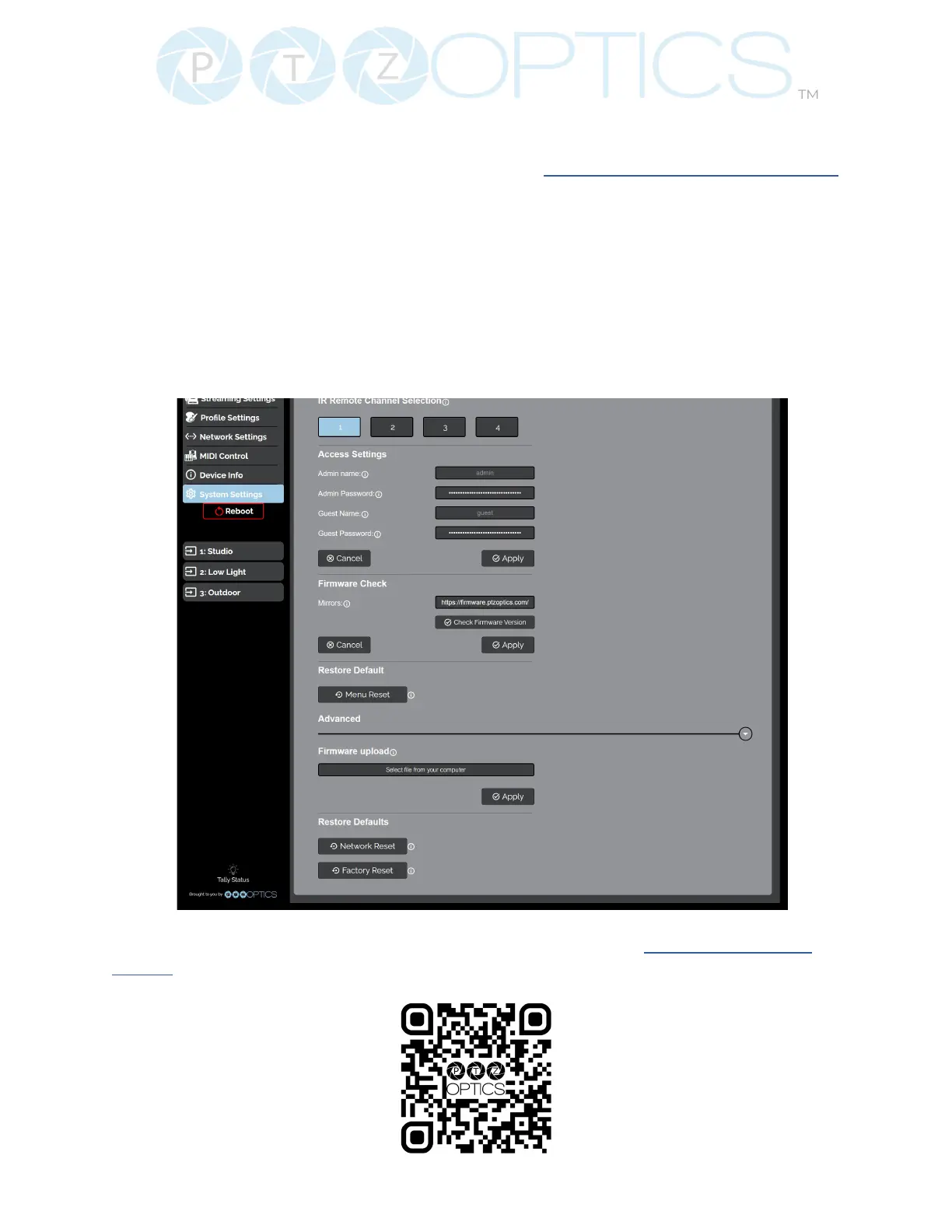
• Firmware Check
Ŝ Mirrors: Dene a server address for acquiring the latest PTZOptics rmware les. By
default, the camera will query PTZOptics at https://rmware.ptzoptics.com/
Ŝ Check Firmware Version: Check to see if your camera is running the latest rmware
from the Firmware Update Server.
• Firmware Upload
Ŝ File Upload (Advanced): Select a rmware le from your PC to upload to the
camera.
• Restore Default
Ŝ Menu Reset (Basic): Reset the camera’s non-network settings to factory default.
Ŝ Network Reset (Advanced): Reset the camera’s network settings to factory default.
Ŝ Factory Reset (Advanced): Reset all of the camera’s settings to factory default.
For more information you can scan the QR code below or visit ptzoptics.com/get-
started.


 To Next Page