534 Trestle Place Downingtown, PA, 19335 USA · Tel: +1(484)593-2247 · Email: support@ptzoptics.com
Rev 2.0 2023-10-23
10
Input & Output Interface
HD Output
▪ 1x RJ45: 10/100/1000M Adaptive Ethernet Port
▪ 1x HDMI: Version 1.4b
▪ 1x USB 2.0: Type A (Supplies phantom oower to LED panel)
▪ 1x USB 3.0: Type C (Supplies video)
Audio Interface
▪ 1x 3.5mm Line level Input
IR
4x IR Addresses, Max distance 30ft / 9m
Horizontal & Vertical Image Flip
Switch
Power Jack
JEITA Type (DC IN 12V)
Physical Parameter
Input Voltage DC 12V / PoE(802.3af)
Current Consumption 12V 1.0A(Max) / 5V 1.5A (Max)
Operating Temperature 14F ~ 104F (-10°C ~ 40°C)
Storage Temperature -40°F ~ 140°F (-40°C ~ 60°C)
Humidity Range 10% - 80%
Power Consumption Max 6W
Size in. (W x D x H) 3.03” W x 5.55” D x 4.21” H
Size mm. (W x D x H) 77mm W x 141mm D x 107mm H
Camera Weight 1.74 lbs | 0.7 kg
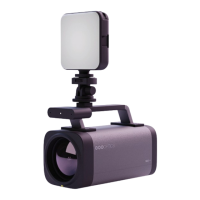
Powering the LED Panel Light
The Studio Pro is able to power and charge the LED Panel Light when connected to the included
power supply or via a power over ethernet (PoE) connection. When connected via USB, the cam-
era does not receive enough power to also charge the LED light. Please make sure to fully charge
your LED Panel Light before powering the Studio Pro via USB.


 To Next Page