32
534 Trestle Place Downingtown, PA, 19335 USA · Tel: +1(484)593-2247 · Email: support@ptzoptics.com
Rev 2.0 2023-10-23
Navigation Panel
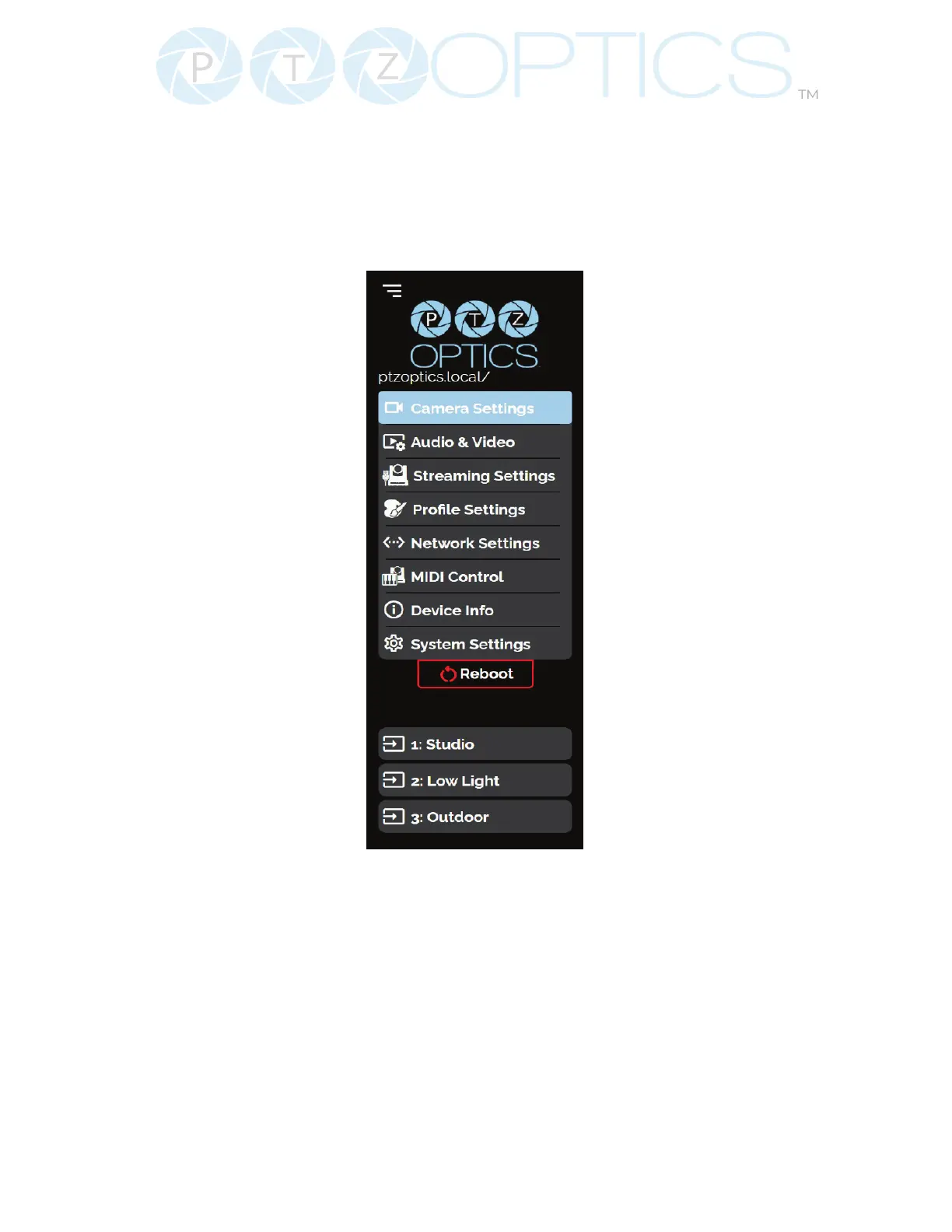
The Navigation Panel allows you to select the various control options for the camera. It can be
collapsed to make more room within the user interface.
You can load precongured proles into the camera by selecting the desired prole from the
Navigation Panel.
• Logo: You can change the photo in the Navigation Panel using Logo Upload from the
Prole Settings page.
• Camera Name: You can change the camera’s name from the Device Info page. The “.local/”
appendage will always be on the end to give an easy reminder on how to return to this
Web UI.
• Reboot Button: The Reboot button will reboot your camera. It can be easily accessed from
any page while the Navigation Panel is maximized.
• Quick Prole: You can quickly change between pre-congured camera settings using the
Proles saved to the Navigation Panel.


 To Next Page