38
534 Trestle Place Downingtown, PA, 19335 USA · Tel: +1(484)593-2247 · Email: support@ptzoptics.com
Rev 2.0 2023-10-23
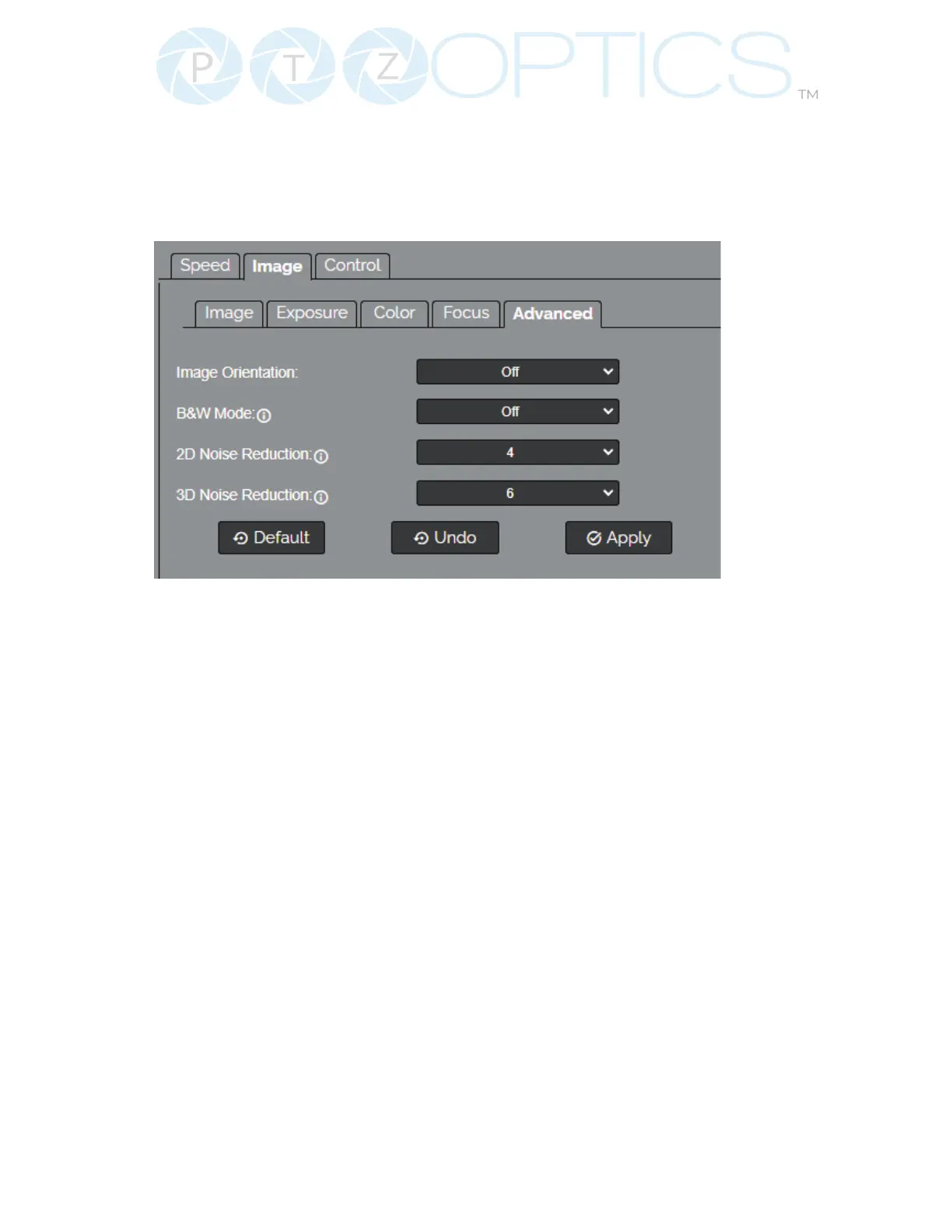
Advanced
The Advanced tab within the Camera Settings page allows you to adjust aditional camera
features, such as image orientation, black and white mode, 2D noise reduciton, and 3D noise
reduction.
▪ Image Orientation: Choose to ip the image, mirror the image, or ip and mirror the image.
▪ B&W Mode: Toggle Black and White mode on or o.
▪ 2D Noise Reduction: Adjust the amount of 2D image smoothing.
▪ 3D Noise Reduction: Adjust the amount of 3D image smoothing.
▪ You must click the “Apply” button to save the Mode to the camera.
▪ The “Undo” button will revert the Mode settings to the last saved settings.


 To Next Page