12
Attention: This workstation only supports the use of non-foaming cleaners, and strong acid and
strong alkaline cleaners are prohibited.
When the equipment is transferred, please empty the cleaning agent in the container.
11
・Put the CC1 robot charging adapter (not in the workstation package) purchased earlier into the
workstation(*When installing, pay attention to the heat dissipation hole of the power adapter facing
down).
For the external power cord of the workstation, please use the adapter power cord attached to the
CC1 robot.
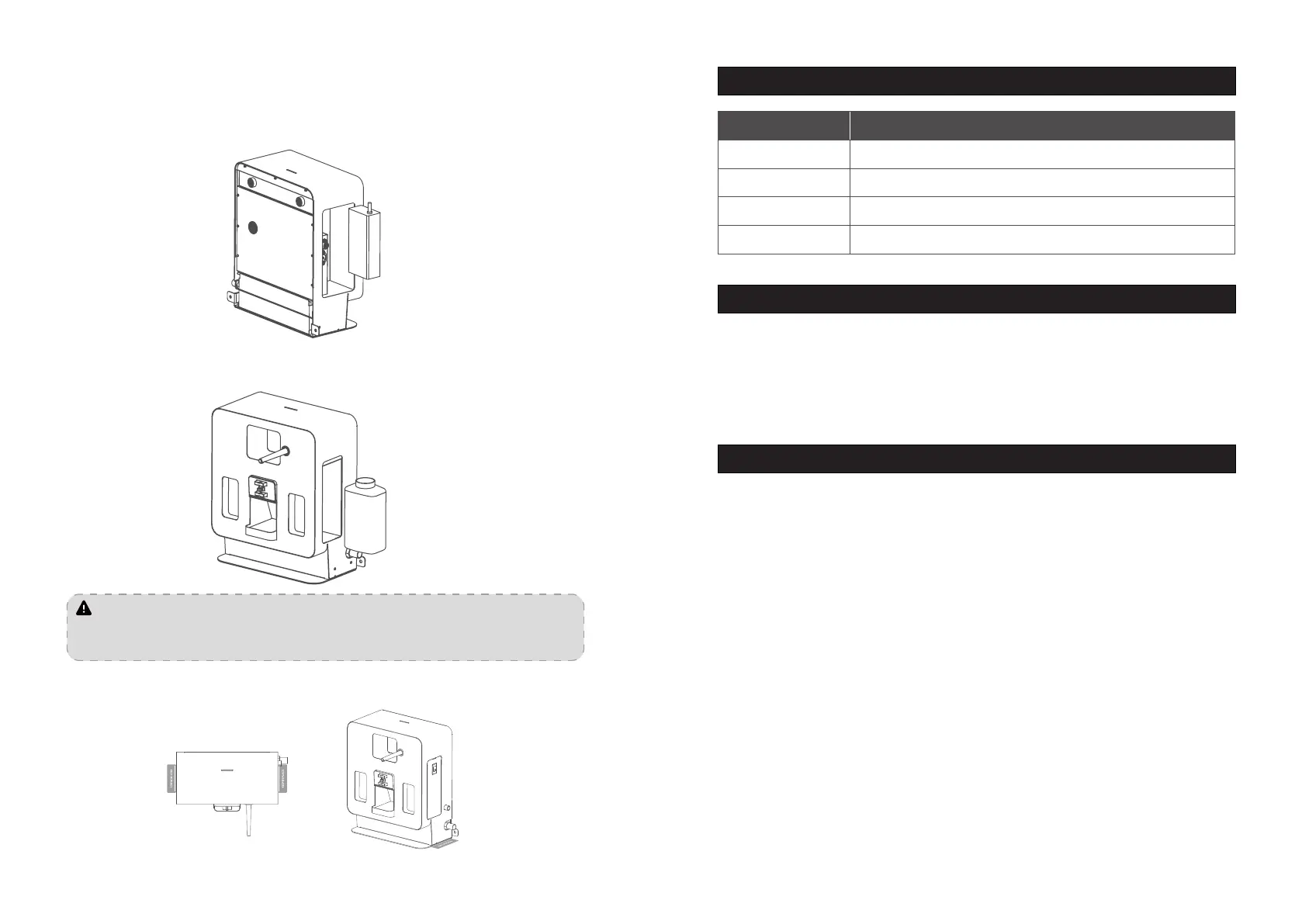
・If you need to add cleaning solution, please take out the cleaning solution container, pour the
cleaning solution and put it back into the workstation .(as shown below)
・Stickers can be used to x the position of the workstation so as to better achieve alignment with the
cleaning machine (as shown below)
Maintenance
Indicator light description
Indicator Light Description Light Status
Flashing red Fault occurred
Steady green Normal standby (non-connected state)
Flashing green Blinking blue
Breath green Connection successful
4.1 Free warranty service
The company promises to meet the following conditions, from the date of product receipt, within
the effective warranty period of the product (the warranty period of different parts of the product is
different),Free product warranty service will be provided if the following conditions are met:
・ Since the purchased product is used normally within the specified product warranty period, there
are non-artificial quality problems;
・ No unauthorized disassembly, no modification or installation not guided by the official manual, and
other non-human failures;
・ The product serial number, factory label and other marks are not torn or altered;
・ Provide valid proof of purchase, receipt and order number;
・ Damaged spare parts replaced during the free warranty period belong to the company and should
be sent back as required by the company.
4.2 After-sales service beyond the scope of warranty
・ For after-sales service that is not within the scope of free warranty (beyond the warranty period or
does not meet the terms of free warranty within the warranty period), the company provides paid
after-sales service;
After sales service
・The workstation is dirty and dusty, please use a soft, clean, lint-free cloth to wipe it clean.
・Regularly clean the dirt in the dirt tray of the workstation.
・In case of cracks, deformation, water leakage, inability to add drainage, inability to charge the
workstation, etc., please disconnect the power supply and contact the after-sales service in time.


 To Next Page
 Loading...