Service functions
Map seings
Voice seings
Speed seings
Tray seings
Version upgrade
Advanced seings
Music function
Music playlist
Music import
Parking instructions
Product Maintenance
Troubleshooting
After-sales Service
Trays, drive wheel and auxiliary wheel
Sensors
Robot body maintenance
Handling of robot
Sign maintenance
1. DO NOT place any item with weight over the load of the tray: plastic tray 10kg/layer,
metal tray 13kg/layer.
2. Click Finish to deliver the next task immediately, please take the food before clicking
Finish.
3. Do NOT pick up and drop the food when the robot is moving, if necessary, please click
the screen to pause the robot, and then pick and drop the food.The pause time of cruise
mode is 20s, and the pause time of other modes is 10s, after the pause, the robot will
resume walking automatically.
4. DO NOT press hard on the screen or tap the screen.
5. DO NOT pull the robot during operation.
6. DO NOT push the robot backwards while the robot is powered on.
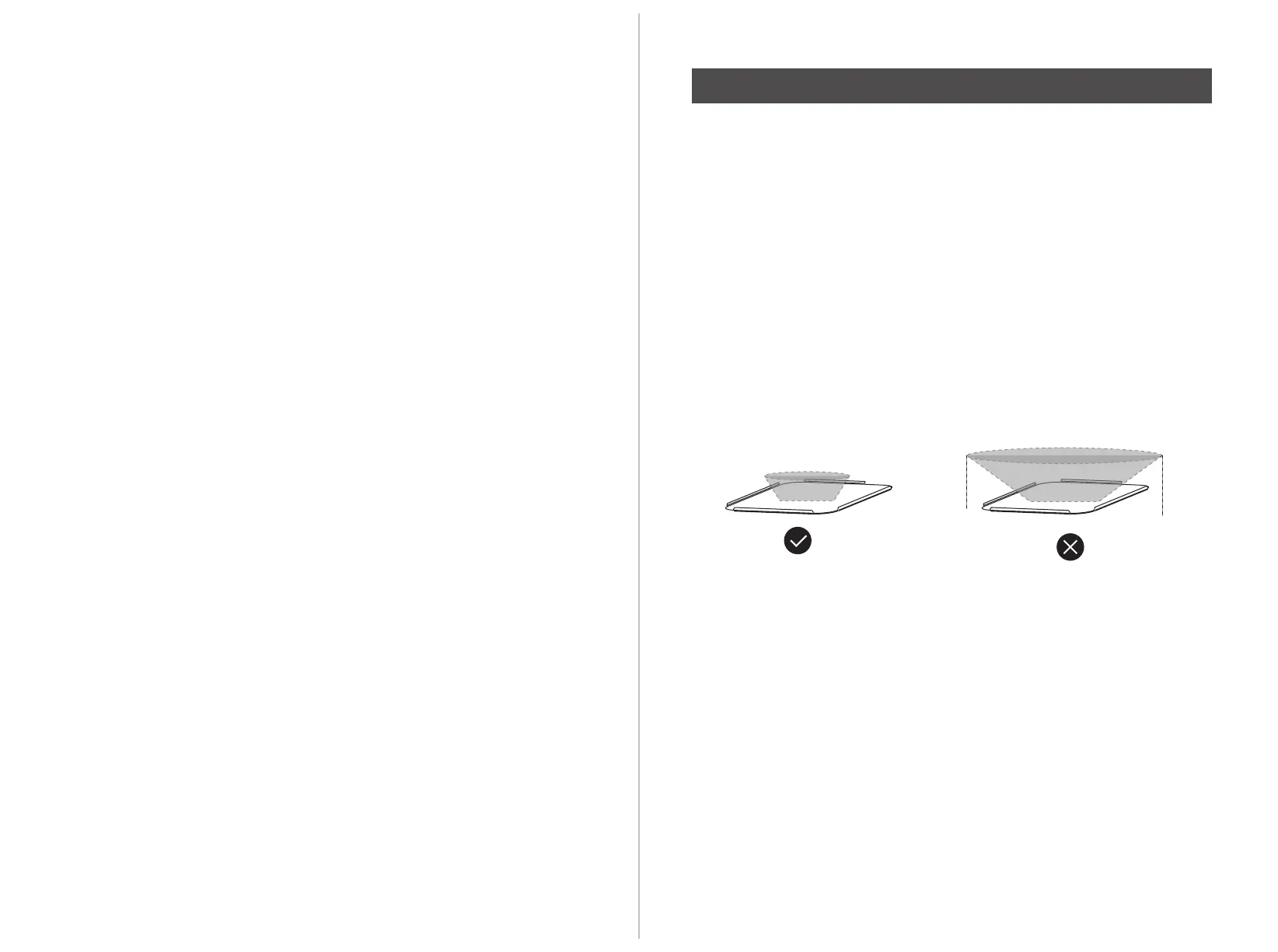
7. The food shall NOT exceed the size of the tray, otherwise the sensor may beblocked,
and the robot may not move properly.
8. If the robot enters the wrong position due to factors such as blockage, please pause the
task and push it to the correct route to continue the task.
9. In the event of a collision, please cancel the current task or pause, re-enter the task, DO
NOT artificially block the robot.
10. In the absence of special custom-made trays, it is not recommended in principle to
deliver soup with PuduBot.When using, be sure to prevent the soup from being splashed
and being scalded by the hot water.
11. Pay attention to the change of state of the robot during its travel, please avoid the
robot when it is carrying hot tableware or soup pot to prevent collision with the robot and
high temperature burns.
12. The top camera is used for precise positioning of the robot, DO NOT block it with a
cover during starting and running.
13. DO NOT tap or make other actions to the robot, otherwise it may easily cause
equipment damage.
Instructions for use
Safety Instruction


 To Next Page