EasyManua.ls Logo

Pulsar KRYPTON 2 - Page 43

Pulsar KRYPTON 2
73 pages
Print Icon
To Next Page IconTo Next Page
To Previous Page IconTo Previous Page
Loading...
To
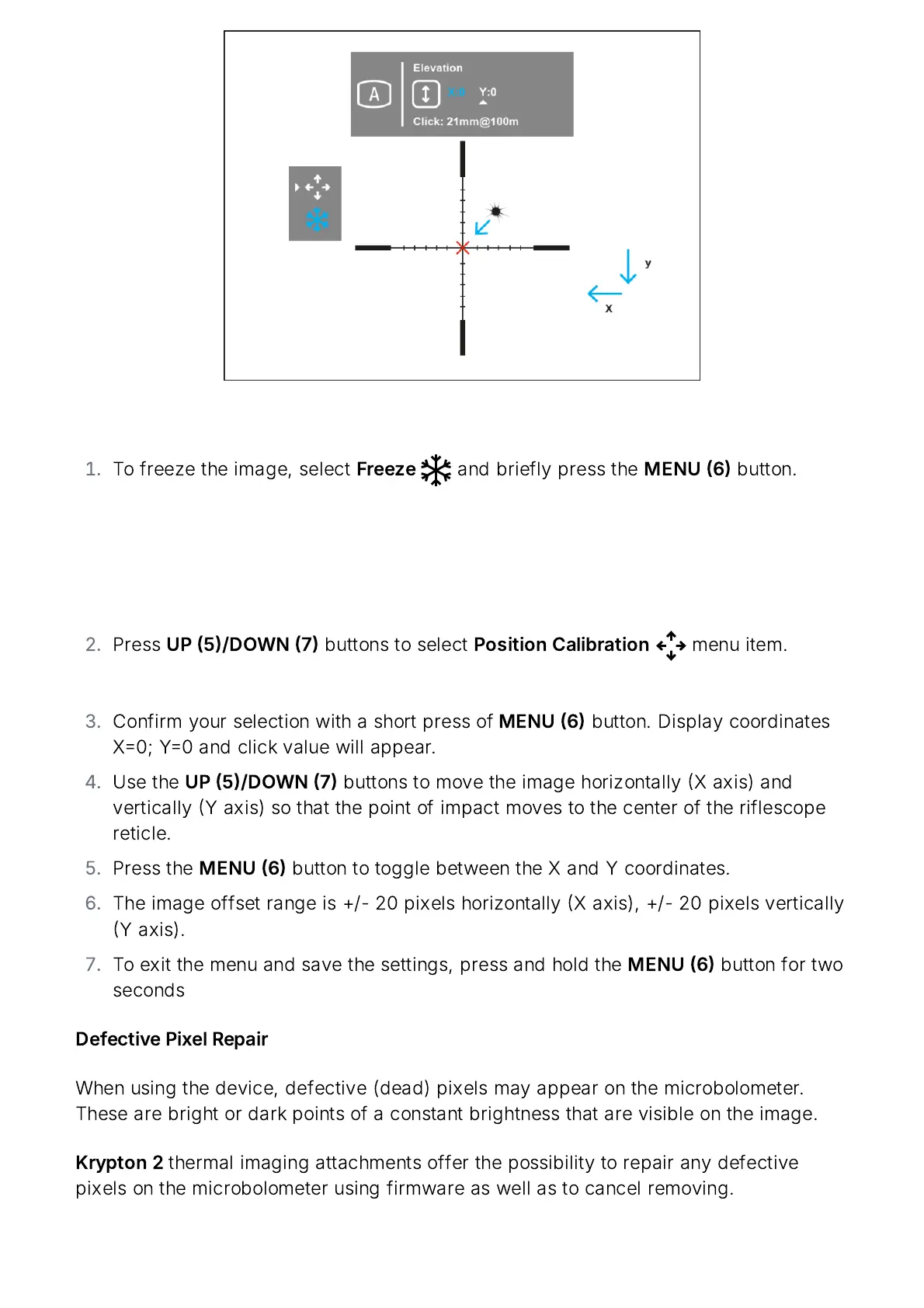
freeze
the
image
,
select
Freeze
and
briefly
press
the
MENU
6
button
.
Press
UP
5/
DOWN
7
buttons
to
select
Position
Calibration
menu
item
.
Confirm
your
selection
with
a
short
press
of
MENU
6
button
.
Display
coordinates
X
0;
Y
0
and
click
value
will
appear
.
Use
the
UP
5/
DOWN
7
buttons
to
move
the
image
horizontally
X
axis
)
and
vertically
Y
axis
)
so
that
the
point
of
impact
moves
to
the
center
of
the
riflescope
reticle
.
Press
the
MENU
6
button
to
toggle
between
the
X
and
Y
coordinates
.
The
image
offset
range
is
+/- 20
pixels
horizontally
X
axis
), +/- 20
pixels
vertically
Y
axis
).
To
exit
the
menu
and
save
the
settings
,
press
and
hold
the
MENU
6
button
for
two
seconds
Defective
Pixel
Repair
When
using
the
device
,
defective
(
dead
)
pixels
may
appear
on
the
microbolometer
.
These
are
bright
or
dark
points
of
a
constant
brightness
that
are
visible
on
the
image
.
Krypton
2
thermal
imaging
attachments
offer
the
possibility
to
repair
any
defective
pixels
on
the
microbolometer
using
firmware
as
well
as
to
cancel
removing
.

Related product manuals