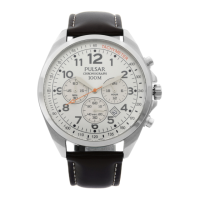
This document is an instruction manual for a Pulsar analogue watch, specifically for watch calibre N94J. It provides comprehensive details on how to operate, maintain, and understand the specifications of the watch.
Function Description:
The Pulsar analogue watch is a timepiece designed to display time, and in some models, the date and day. It comes in both mechanical and quartz movements, with specific instructions for each. The mechanical watches (Cal. Y621) are self-winding through wrist movement after an initial manual swing. Quartz watches, on the other hand, rely on a battery for power. The watch features a crown for setting the time and calendar, with some models having a screw-down crown for enhanced water resistance.
Important Technical Specifications:
- Calibre: N94J (general instruction manual, specific calibre mentioned for mechanical watches is Y621, and for day/date calendar is PC33).
- Battery Type: Button battery (for quartz models).
- Battery Life: The battery is inserted at the factory for testing, so its actual life in possession may be less than the specified period.
- Accuracy (Quartz): Loss/gain (monthly rate) is less than 15 seconds (20 seconds for some calibres) at normal temperature range (5°C ~ 35°C / 41°F ~ 95°F).
- Operating Temperature Range: Optimal operation between 5°C and 35°C (41°F and 95°F). Temperatures over 60°C (140°F) or below -10°C (14°F) can affect accuracy and battery life.
- Water Resistance:
- Non-water resistant: No "WATER RESISTANT" inscription on the case back. Should not get wet.
- 3 bar: "WATER RESISTANT" inscribed. Withstands splashes of water or rain, but not for swimming or diving.
- 5 bar: "WATER RESISTANT 5 BAR" inscribed. Suitable for swimming, yachting, and showering.
- 10/15/20 bar: "WATER RESISTANT 10 BAR", "WATER RESISTANT 15 BAR", or "WATER RESISTANT 20 BAR" inscribed. Suitable for taking a bath, shallow diving, but not for scuba diving. A Pulsar Diver's watch is recommended for scuba diving.
- Note on Water Resistance: Pressure in bar is a test pressure and not equivalent to actual diving depth. The crown should always be completely pushed in before water exposure and not operated when wet.
Usage Features:
- Screw Down Crown (for models with screw down crown):
- Unlocking: Turn counterclockwise until threads are no longer felt, then pull out.
- Locking: Push back to normal position, then turn clockwise while pressing lightly until tight.
- Water Use: Ensure the crown is screwed in completely before water exposure. Do not operate the crown when the watch is wet or in water.
- Starting Mechanical Watch (Cal. Y621): Swing the watch from side to side in a horizontal arc for about 30 seconds. Daily wear will automatically wind the mainspring.
- Time Setting (Models without Calendar): Pull the crown out, turn to set the time, then push back.
- Time/Calendar Setting (Models with Date Calendar):
- Pull the crown out to the first click, turn to show the previous day's date.
- Pull the crown out to the second click, turn until the desired date appears (advancing hour/minute hands if necessary).
- Turn to set the time.
- Push back to normal position.
- Time/Calendar Setting (Models with Day and Date Calendar):
- Pull the crown out to the first click.
- Turn to show the previous day's date.
- Turn in the opposite direction to show the previous day of the week (for Cal. PC33, turn clockwise to set the date only).
- Pull the crown out to the second click.
- Turn until the desired date and day appears (advancing hour/minute hands if necessary).
- Turn to set the time.
- Push back to normal position.
- Notes on Time Setting:
- For quartz watches, advance the minute hand a few minutes ahead, then turn back to the exact time.
- For three-hand watches, pull the crown out when the second hand points at 12 o'clock, and push back in with a time signal for "00" seconds.
- Notes on Calendar Setting:
- Avoid changing the calendar between 9:00 P.M. and 4:00 A.M. to prevent improper changes. If necessary, change the time outside this period, set the calendar, then reset the correct time.
- For bilingual day calendars, the other language will appear temporarily during the day shift.
- Check AM/PM when setting the hour hand. The calendar changes once in 24 hours. Turn hands past the 12 o'clock marker to determine AM/PM (calendar change indicates AM).
- Day Setting for Cal. PC33: At the second click position, turn the hands clockwise and counter-clockwise repeatedly between 11:15 p.m. and 3:45 a.m. to select the desired day and language.
Maintenance Features:
- Battery Change (Analogue Quartz Watch):
- Replace the battery as soon as possible when it expires to prevent malfunction.
- Contact an AUTHORIZED PULSAR DEALER for battery replacement.
- WARNING: Do not remove the battery, keep out of reach of children, consult a doctor if swallowed. Never short-circuit, tamper with, heat, or expose to fire.
- CAUTION: Battery is not rechargeable. Do not attempt to recharge to avoid leakage or damage.
- Care of Case and Bracelet: Wipe periodically with a soft, dry cloth to prevent rusting from dust, moisture, and perspiration.
- Shocks & Vibration: Light activities are fine, but avoid dropping or hitting against hard surfaces.
- Chemicals: Avoid exposure to solvents, mercury, cosmetic spray, detergents, adhesives, or paints, as they can cause discoloration or deterioration.
- Magnetism: Keep away from strong magnetic objects. Strong magnetism can adversely affect the watch. For quartz watches, normal accuracy returns once moved away from the magnetic field.
- Periodic Check: Recommended every 2 to 3 years by an AUTHORIZED PULSAR DEALER or SERVICE CENTER to ensure the case, crown, buttons, gasket, and crystal seal remain intact.
- Case Back Protective Film: Peel off any protective film or sticker from the case back before using the watch.

 Need help?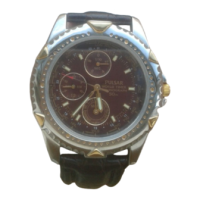

 To Next Page
 General