5
English
✽ Selection of the digits
Seconds ➾ Minutes ➾ Hour ➾ Year ➾ Month ➾ Date
➾
12-/24-hour indication
➾
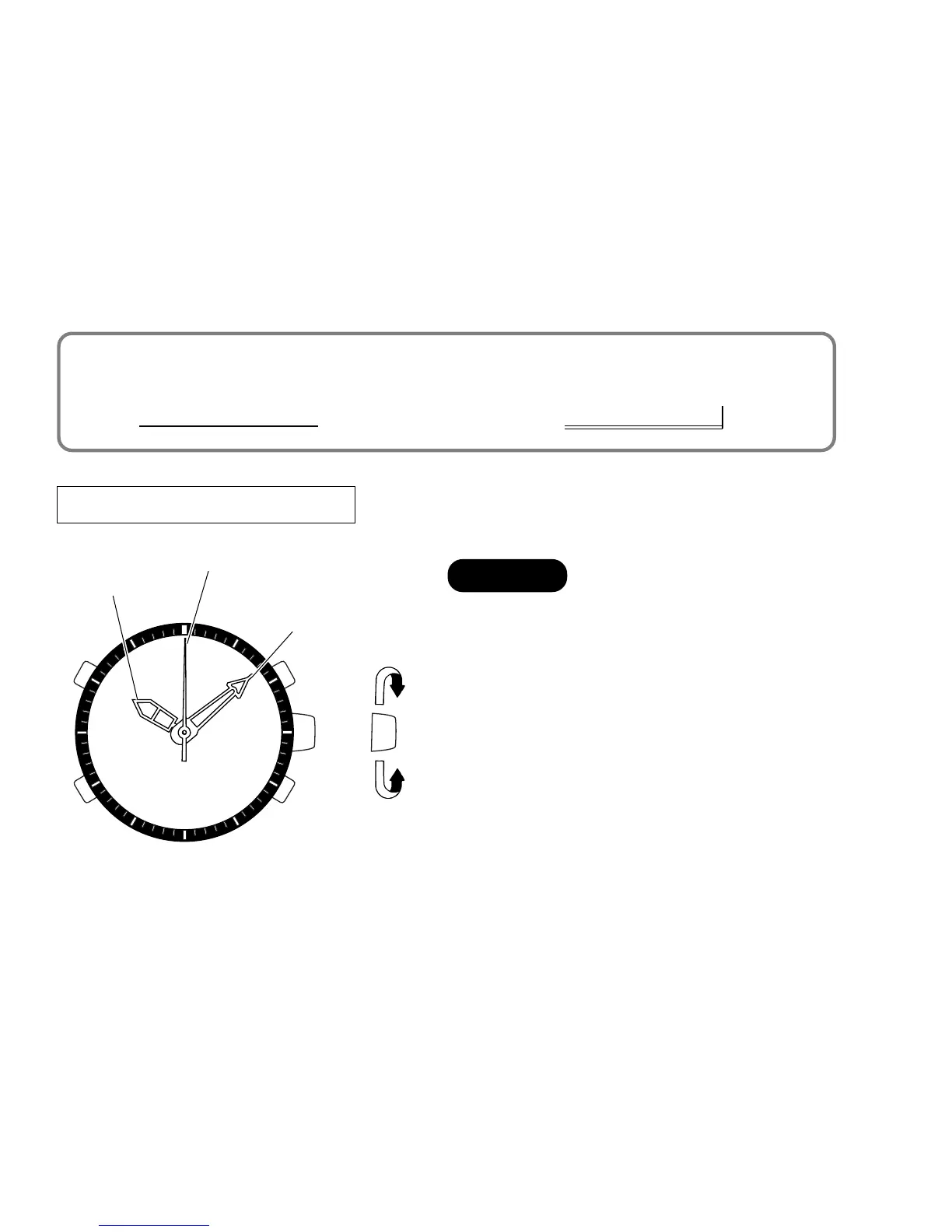
ANALOGUE TIME SETTING
➠
➠
Hour hand
Minute hand
Second hand
1 Pull out when the second hand is
at the 12 o’clock position.
2 Turn to set the hour and minute
hands.
3 Push back in to normal position
when the second digits count “00”
in the digital time display.
CROWN


 To Next Page