EasyManua.ls Logo

Pulsar TELOS - Page 47

Pulsar TELOS
78 pages
Print Icon
To Next Page IconTo Next Page
To Previous Page IconTo Previous Page
Loading...
A
mode
Automatic
)
The
device
is
calibrated
autonomously
according
to
firmware
algorithms
.
There
is
no
need
to
close
the
lens
cover
because
an
internal
shutter
covers
the
microbolometer
automatically
.
In
this
mode
,
the
user
can
still
choose
to
calibrate
the
device
using
the
ON
/
OFF
9
button
if
required
(
as
in
the
SA
mode
).
In
Automatic
calibration
mode
a
countdown
timer
will
appear
instead
of
the
calibration
mode
icon
5
seconds
before
automatic
calibration
begins
.
Notes
:
During
calibration
,
the
image
on
the
display
briefly
freezes
for
up
to
1
second
.
The
selected
calibration
mode
is
saved
after
restarting
the
device
.
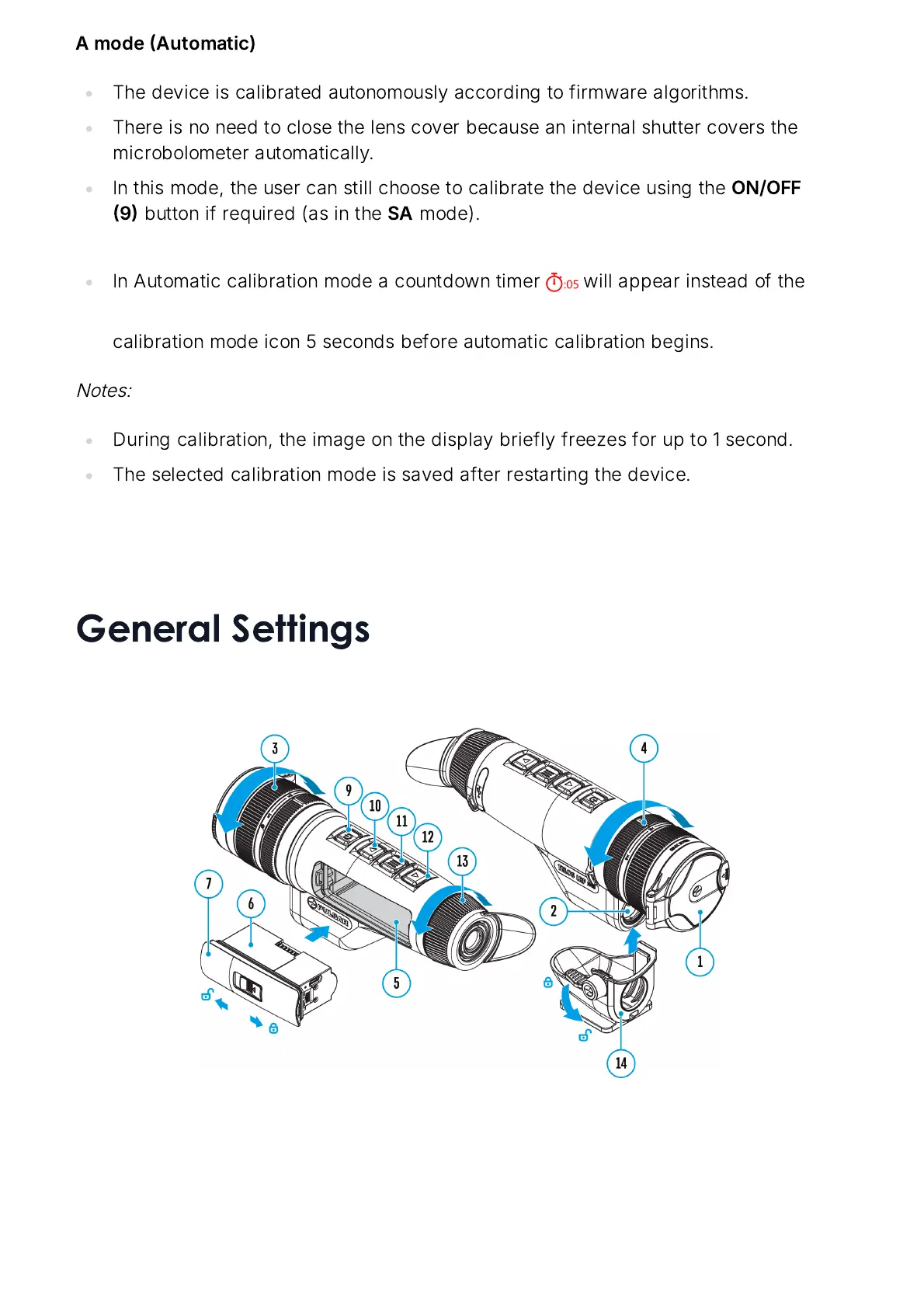
General Settings

Related product manuals