EasyManua.ls Logo

Pulsar TELOS - Page 58

Pulsar TELOS
78 pages
Print Icon
To Next Page IconTo Next Page
To Previous Page IconTo Previous Page
Loading...
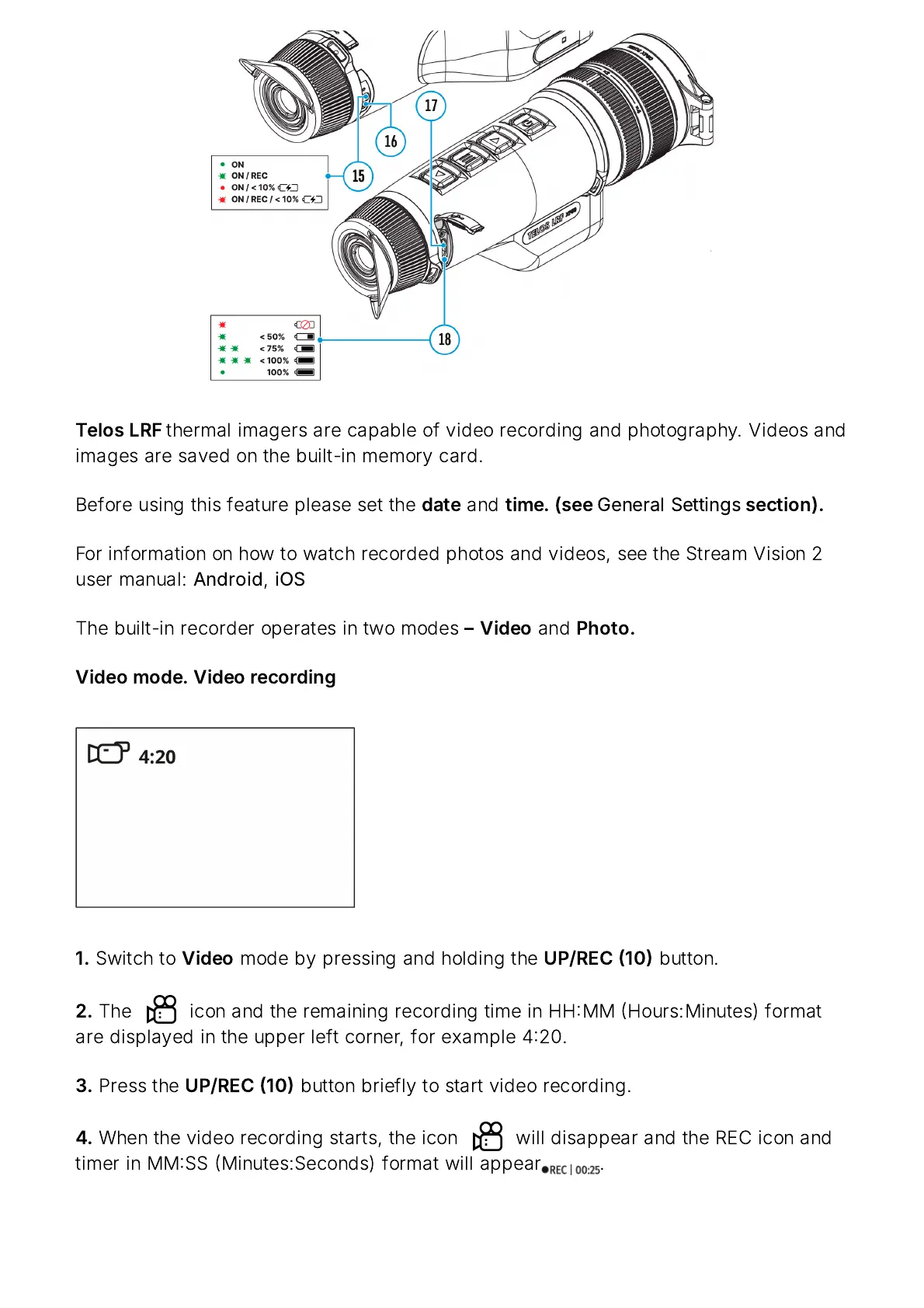
Telos
LRF
thermal
imagers
are
capable
of
video
recording
and
photography
.
Videos
and
images
are
saved
on
the
built
-
in
memory
card
.
Before
using
this
feature
please
set
the
date
and
time
. (
see
General
Settings
section
).
For
information
on
how
to
watch
recorded
photos
and
videos
,
see
the
Stream
Vision
2
user
manual
:
Android
,
iOS
The
built
-
in
recorder
operates
in
two
modes
Video
and
Photo
.
Video
mode
.
Video
recording
1.
Switch
to
Video
mode
by
pressing
and
holding
the
UP
/
REC
10
button
.
2.
The icon
and
the
remaining
recording
time
in
HH
MM
Hours
:
Minutes
)
format
are
displayed
in
the
upper
left
corner
,
for
example
420.
3.
Press
the
UP
/
REC
10
button
briefly
to
start
video
recording
.
4.
When
the
video
recording
starts
,
the
icon will
disappear
and
the
REC
icon
and
timer
in
MM
SS
Minutes
:
Seconds
)
format
will
appear
.

Related product manuals