12
PULSE CENTERS | (770) 334-2226 | support@pulsecenters.com | 34 Center Rd SE , Cartersville, GA 30121
Next, enter your email address. (Note: This is case sensitive and must
match the one that Pulse Centers has on file, so use the one that
you have been receiving communications from Pulse Centers on).
Create a password, confirm the password, and select “Sign Up.”
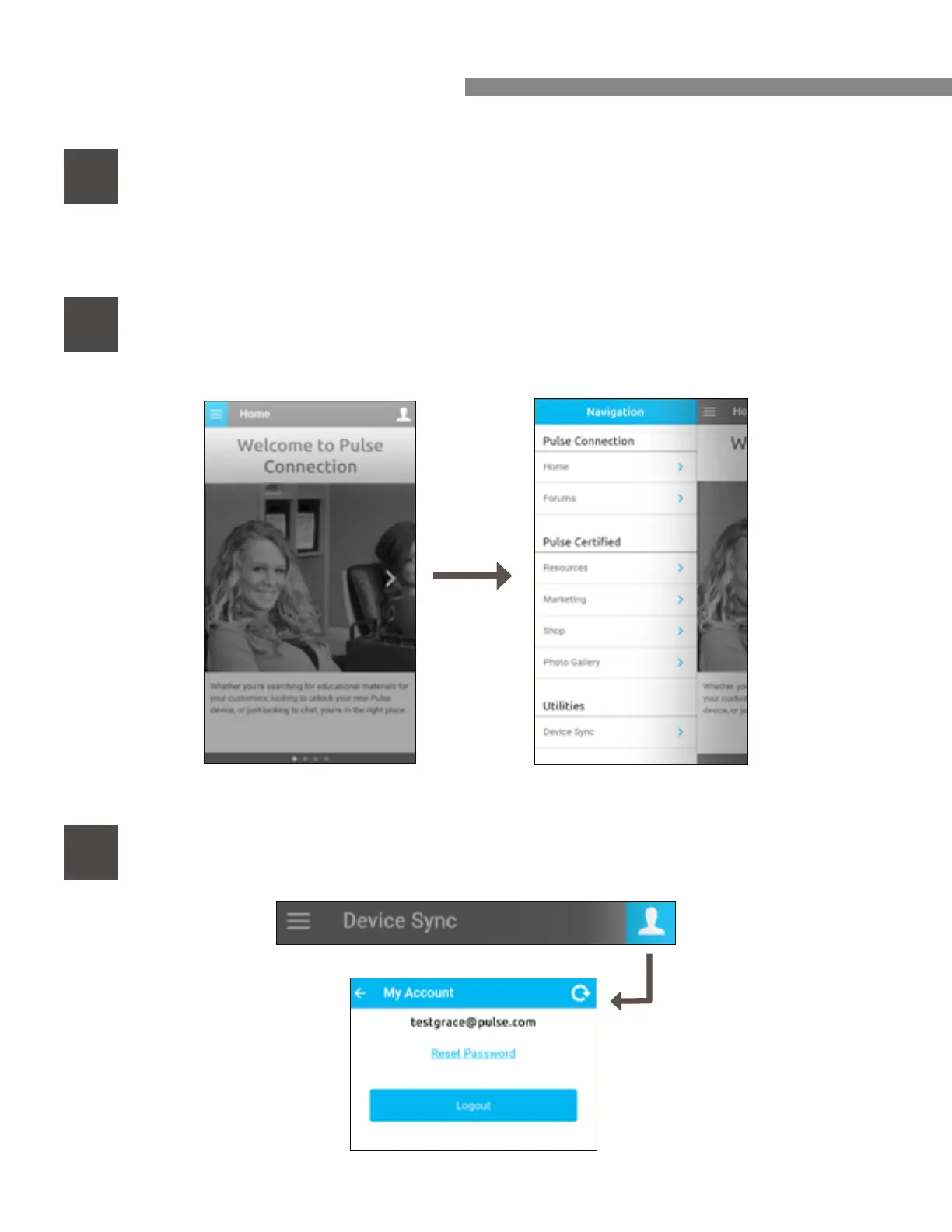
Next, click on the “Menu Bar” - it’s displayed as three small lines
located on the top left of the screen.
5
BLUETOOTH GUIDE CONTINUED
6
Next, go to the “Utilities” tab and select “Device Sync.”
7



 To Next Page