5
Controls
1
2
4
5
3
No. Control Description
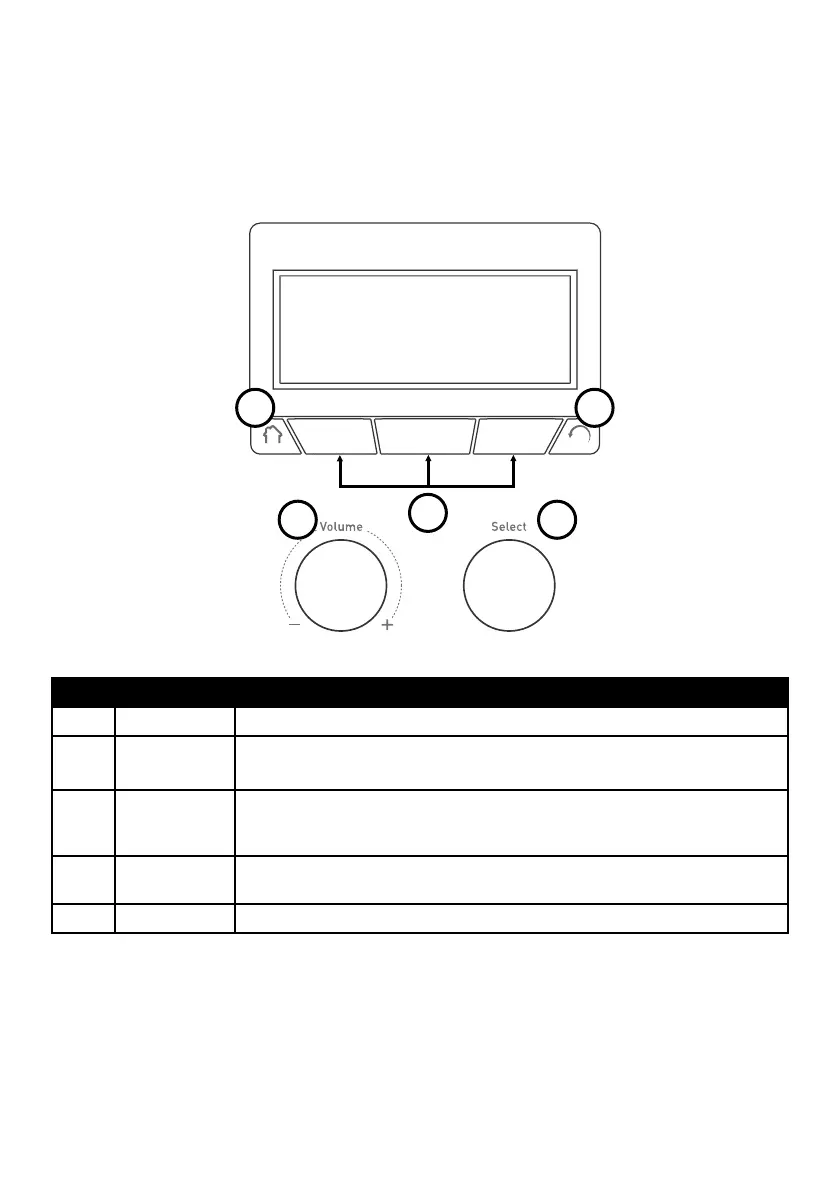
1 Home Press to return to the audio source screen.
2 Volume dial Turn to adjust volume. Push to mute and un-mute.
3 Context-
sensitive
buttons
Press the button that corresponds to the function shown on screen that you
want to use.
4 Select dial Turn to navigate menus, stations or options, push to select an item. Push to
pause a media track or podcast.
5 Back Press to go back to the previous screen.



 To Next Page