Change filters
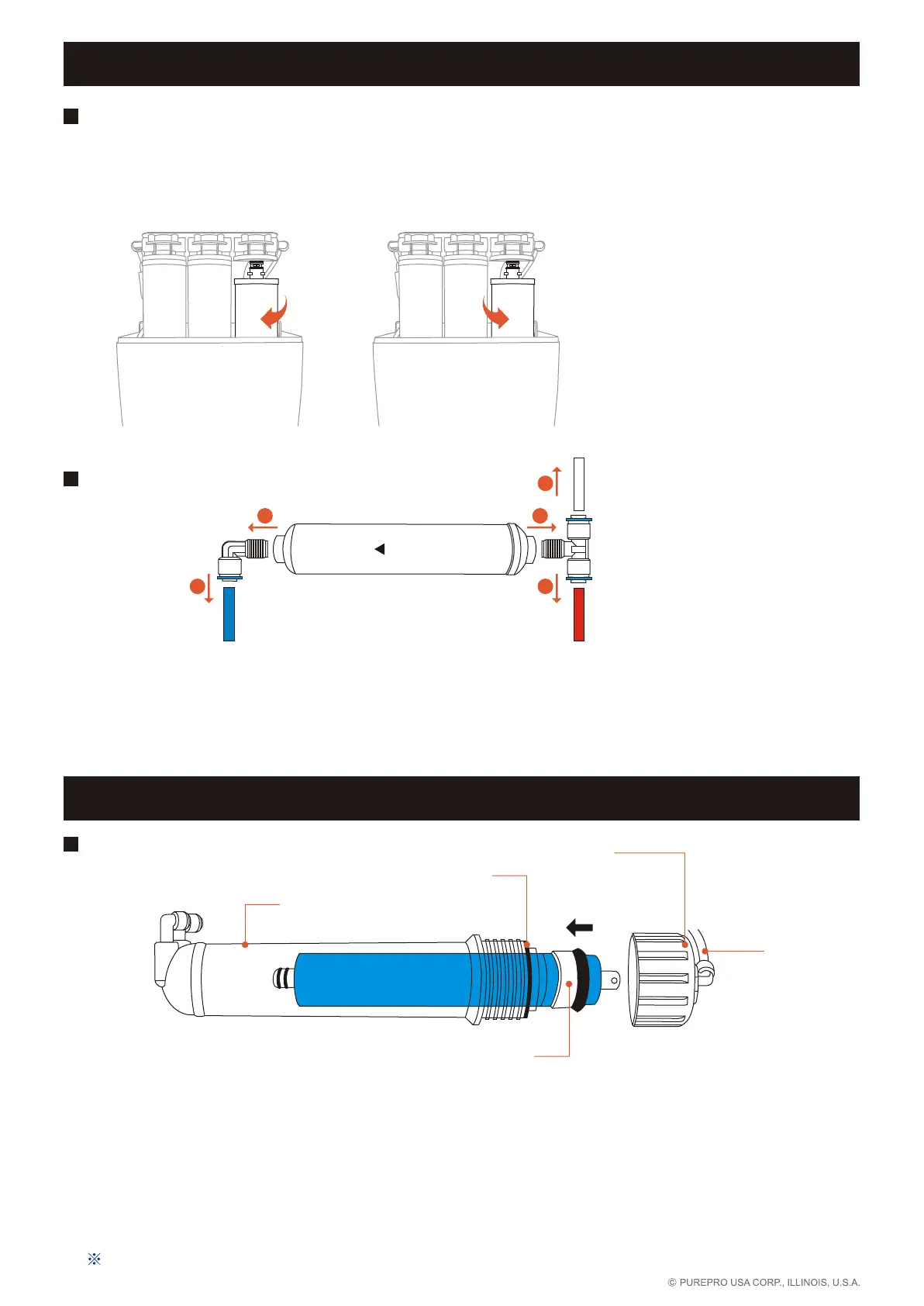
Change RO / ECO membrane
Change stage 4
1 Before filter replacement, please make sure water and electricity supply are cut off.
Please turn off the tank ball valve, too.
2 Remove the tube.
3 Remove the membrane housing cap anticlockwise.
4 Remove the membrane by a pincer.
5 Install the membrane by carefully pushing the spigot end into the socket at the far end of the
housing until completely in.
6 Be sure tighten with O-ring to prevent from leaking.
After changing filters, let water run for about 15 minutes to clear the filters.
Membrane housing
O'ring
Membrane housing cap
RO / ECO membrane
Tube
Change stage 1, 2, 3
1 Before filter replacement, please make sure water and electricity supply are cut off. Please turn off the tank
ball valve, too.
2 To loosen filters, turn and rotate clockwise.
3 To tighten filters, turn and rotate anti-clockwise.
Clockwise
Anti-clockwise
Change stage 5, 6, 7, 8
1 Before filter replacement, please make sure water and electricity supply are cut off. Please turn off the tank
ball valve, too.
2 Filters carry direction of water flow. Please make sure the correct flow direction during installation.
3 Loosen the quick fitting on both ends to replace the filter.
4 To avoid leakage, please tighten the quick fitting with Teflon tape before filter replacement.
FLOW
2
1 1
2
To faucet
To RO membrane
To tank
1


 To Next Page