be controlled by the USB devices which are
connected to type-A USB 2.0 ports of transmitter.
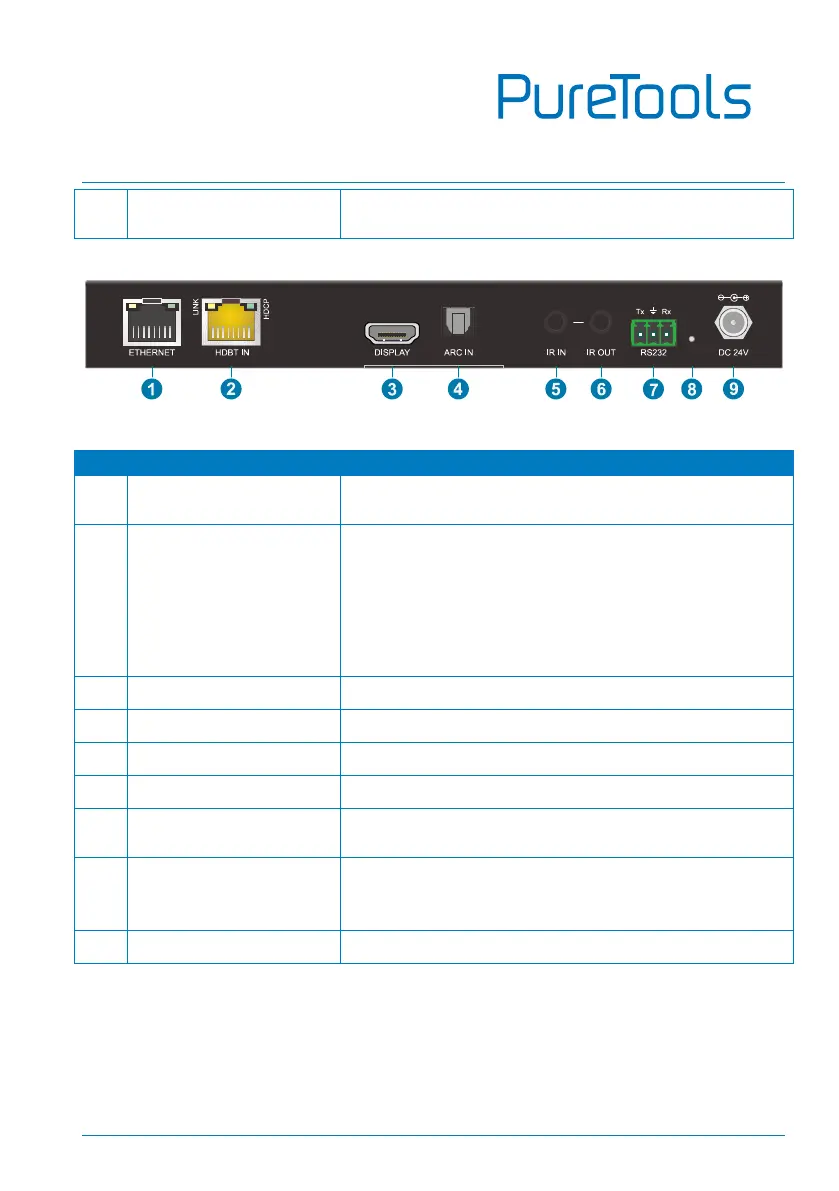
Used for Ethernet extension together with the
ETHERNET port of transmitter.
RJ45 port to connect the HDBT output port of
transmitter by CAT6A Ethernet cable. The LINK LED
illuminates when there is a valid HDBaseT link
between the transmitter and the receiver. The HDCP
LED illuminates when the video contains HDCP
content.
Connects to HDMI display device.
Connects to ARC audio source device (e.g.TV).
Connects to the IR receiver for IR pass-through.
Connects to the IR emitter for IR pass-through.
Connects to RS232 control device (e.g. PC) or a
third-party device which is to be controlled.
Press the button with paper clip or other sharp tool
for 3s to enter firmware upgrade mode. Press the
button for 3s again can exit the mode.
DC connector for the power adapter connection.



 To Next Page