P: 479.419.4800 | F: 479.419.4801 | www.purkeys.net
1200+ WITH LVD V1.00
OWNERS MANUAL
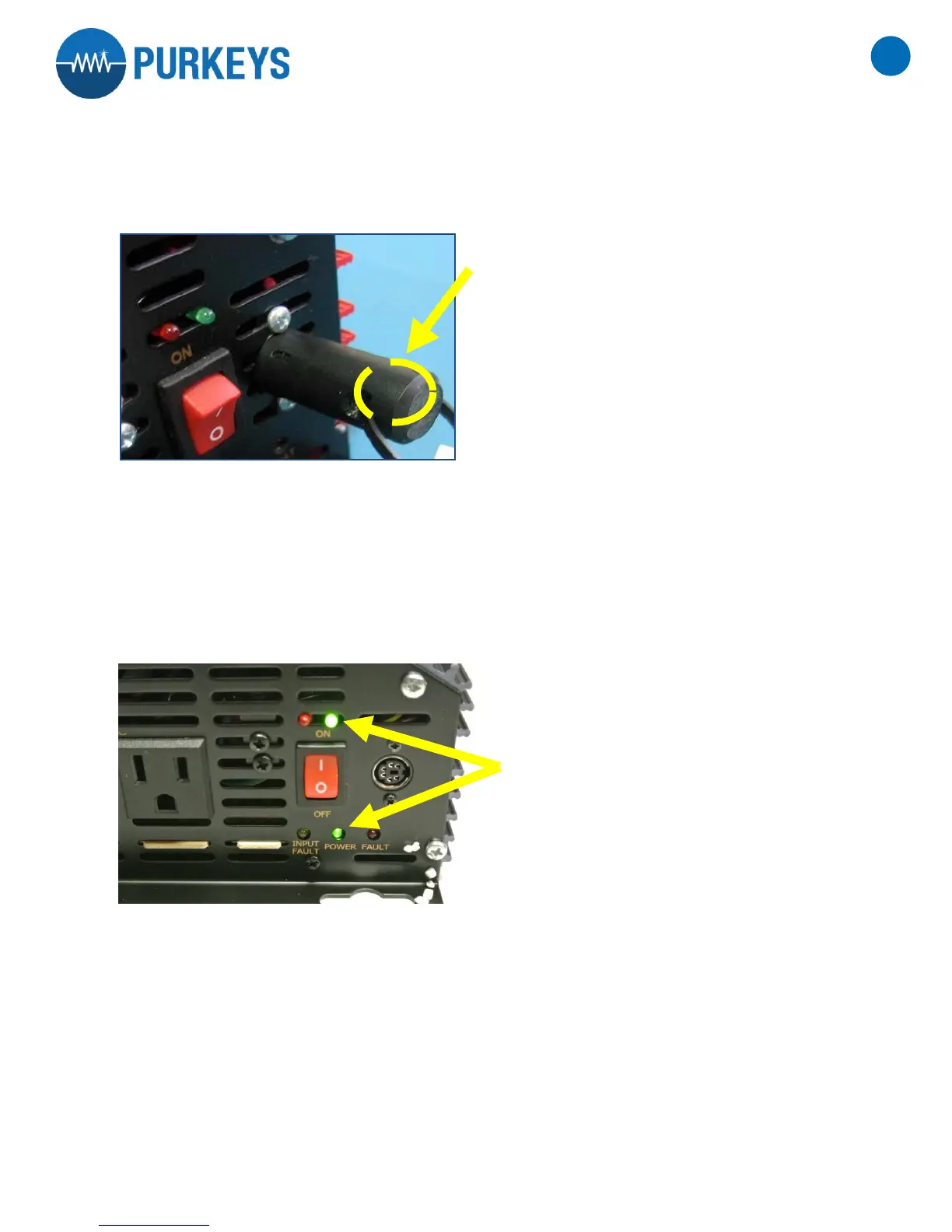
7. Insert the resetting adapter tool into the inverter’s mini-din connector to reset the timer. Reference image
example 5
Image example 5
8. Hook power back up to the inverter (reverse of step 4) and turn the on/off switch to “ON”. The red and green
LED light should come on at the same time. Wait five (5) seconds and detach the reset adapter.
9. Turn the inverter off and then back on. Both green lights should come on and the inverter will turn on. Reference
image example 6
Image example 6


 To Next Page