O System Requirement
Compatible Platforms:
Note: Need the original gamepad for guidance when play on PS4 and
XBOX ONE console.
e Connect with PC
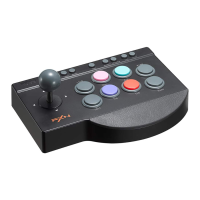
Step 1 Plug the arcade stick into the computer.
At the first connection, the computer will be prompted to find
Step 2
new hardware, and the driver will be installed automatically.
Step 3 The arcade stick function is available to test on PC. The specific
steps show below:
XP system: Open control panel—game controller,click attribute testing.
WIN7 and above systems: Open control panel -+ device and printer
—5a right mouse click controller icon game controller set, click
attribute testing.
Step 4 Open the test interface as below, you can test the axes and
buttons.
12-


 To Next Page