@ Press the button combination you want to set, press MACRO button
to finish the setting, and indicator OFF.
@ Press the well-set MACRO button to release the function, indicator
flash in green to prompt.
• Clear Button MACRO Function
@ Press the MACRO button, the indicator keep ON in green. Press the
well-set MACRO button("L1/LB/L" or "L2/LT/ZL"), the indicator flash in green.
@ Press the MACRO button again, green indicator OFF.
MACRO function is cleared
• Maximum action button up to 15 times per MACRO setting, the
simultaneous pressing of multiple buttons is counted once, and it
automatically saves and exits the setting after 15 times.
The "SHARE" and "OPTIONS" keys are used as separators in MACRO
settings to separate two same actions or delay.
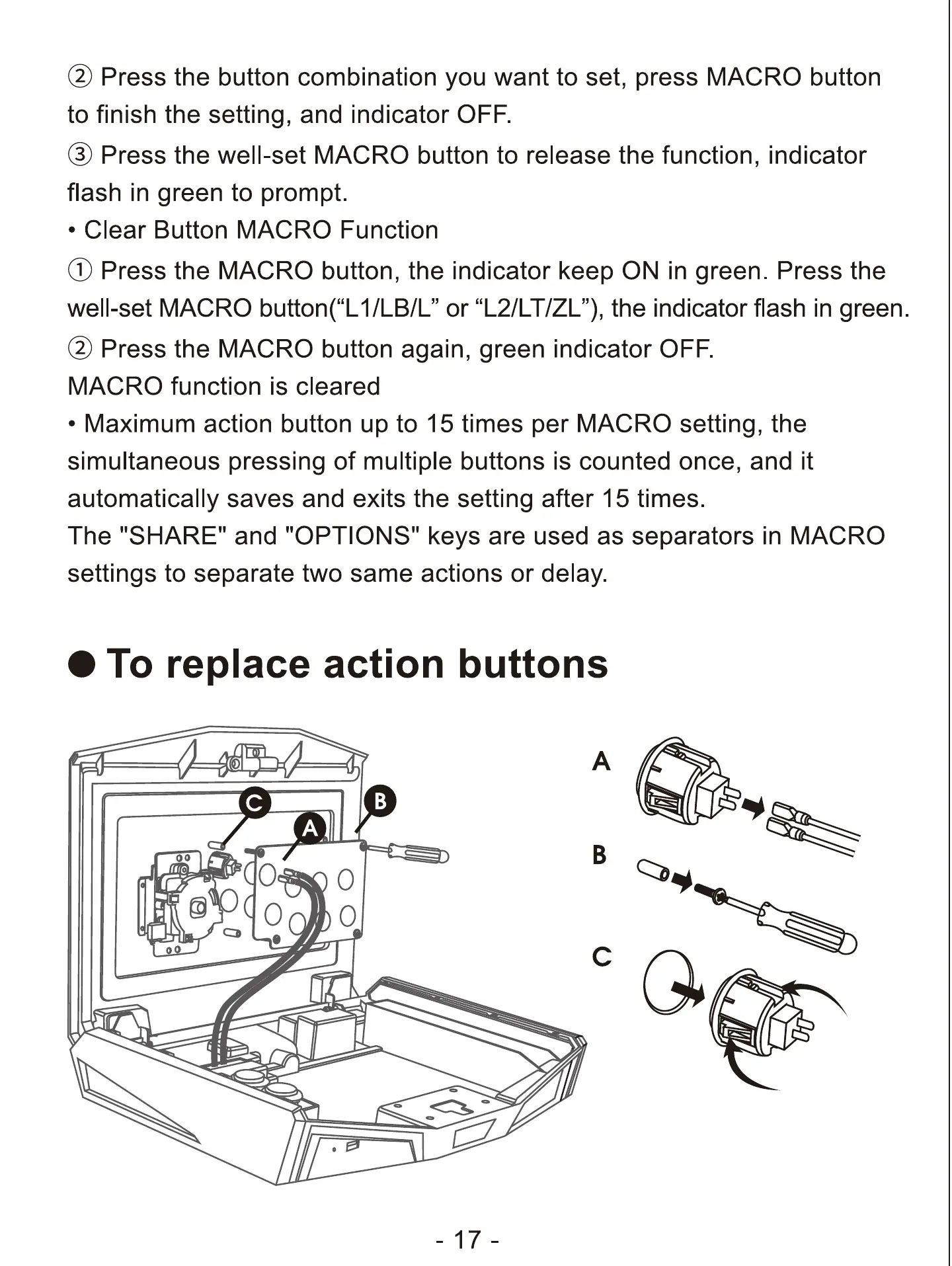
O To replace action buttons
0
O
O
B
c


 To Next Page