O The Button for Switching Between
D-Pad and Joystick
DP LS RS
DP LS RS
DP LS RS
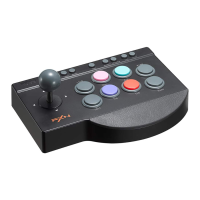
D-pad: Set the switch to "DP" and the joystick function
same as the "D-pad" of the controller.
Left Stick: Set the switch to "LS" and the joystick function
same as the "Left Stick" of the controller.
Right Stick: Set the switch to "RS" and the joystick function
same as the "Right Stick" of the controller.
O
O
LS RS
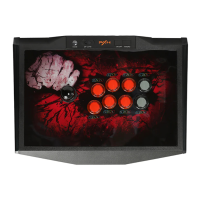
O LED Light Switch Button
After connected with device, the 8 buttons led light of arcade stick
keep ON. You can switch the ON/OFF button to control the light.
O MACRO Function
• Buttons for setting MACRO function: "LI/LB/L", "L2/LT/ZL".
The button original function will be covered after set MACRO function.
, O/B/A, C]/X/Y, A/Y/X,
• MACRO available buttons include: : : /A/B
RI/RB/R, R2/RT/ZR, LI/LB/L, L2/LT/ZL, joystick UP, joystick DOWN,
joystick LEFT, joystick RIGHT.
• How to set MACRO?
O Press the MACRO button, the indicator keep ON in green.
Press "LI/LB/L" or "L2/LT/ZL", the indicator flash in green.
16-


 To Next Page