40
EN
1
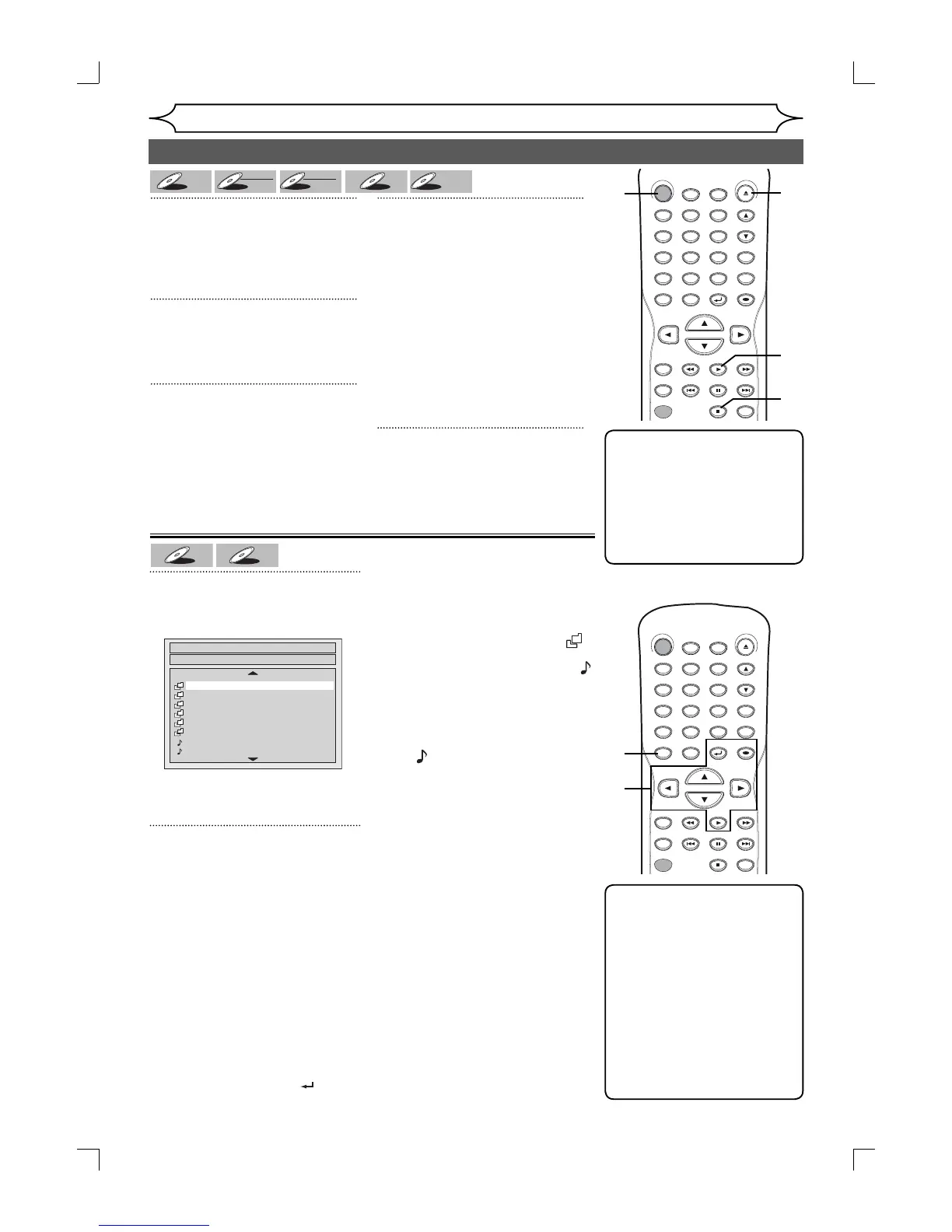
In stop mode, press [TITLE] to
call up the MP3/WMA menu.
• To exit the menu, press
[TITLE] again.
2
Press [K / L] to select a desired
folder (group) or track. Press
[OK].
When selecting track:
Playback will start.
When selecting the folder:
The files in folder will appear.
Press [K / L] to select the track or
folder you want, then press [OK].
• Press [PLAY B], [OK] or [B] to
move to the lower hierarchies.
• Press [s] or [RETURN
] to the
previous hierarchy.
Hints for MP3/WMA files:
• Folders are known as Groups,
files are known as Tracks.
• Folders are accompanied by
icon.
• MP3 files are accompanied by
3
icon.
Reproduction will start from the
selected track and go to the next
one in turn.
• WMA files are accompanied
by
W
icon. When pressing
[DISPLAY] repeatedly during
WMA playback, display menu,
artist name, or title name will be
displayed on the TV screen in
order.
• The system can recognize up to
255 groups (or folders) and up
to 999 tracks.
• The name of group and track
can be displayed in up to 29
characters. Unrecognizable
characters will be replaced with
asterisks.
• If there are no files in the folder,
“No Files” will be displayed.
We recommends the files record-
ed under the following
circumstances is played back:
• Sampling frequency: 44.1kHz or
48kHz.
• Constant bit rate: 112kbps -
320kbps.
Playing discs
1
Press [STANDBY-ON].
Turn the TV on and be sure to
select the input to which the unit is
connected.
2
Press [OPEN/CLOSE A] to open
the disc tray.
The disc tray will open.
3
Insert your disc with its label fac-
ing up. Align the disc to the disc
tray guide.
4
Press [PLAY B] to start play-
back.
Playback will start.
If you are playing a DVD-Video
disc or Video CD with PBC
function, a menu may appear.
Refer to page 41 for details about
a disc menu.
If you are playing a finalized DVD-
R/DVD-RW disc, a title list will
appear.
5
Press [STOP C] to stop play-
back.
Note
• Some discs may start
playback automatically.
• You can select images or
information on the menu
screen by activating PBC
(Playback control) function
(page 70).
Note
• The audio source of MP3/
WMA files cannot be
recorded as digital sound by
an MD or DAT deck.
• Files whose extension is
other than “.mp3(MP3)” or
“.wma(WMA)” will not be
listed in the MP3/WMA menu.
• Some unplayable folders or
tracks may be listed in the
MP3/WMA menu due to the
recording status.
Playing MP3/WMA disc
File List
DISC NAME
FOLDER NAME 1
FOLDER NAME 2
FOLDER NAME 3
FOLDER NAME 4
FOLDER NAME 5
FOLDER NAME 6
1 FILE NAME 1
2 FILE NAME 2
1/2
3
3
Basic playback (cont’d)
DVD-V


 To Next Page