9
OPERATION
Cooling mode
• When the A/C enters cooling mode after it’s turned on, the cooling indicator
will light up.
• Press the Up/Down button to adjust the temperature (17°-30°).
• Press the Speed button to choose High/Low fan speed.
Fan mode
• When pressing the mode button or choosing the fan mode by pressing the
remote control, the wind indicator will light up.
• Press the Speed button to choose High/Low fan speed.
• Temperature cannot be set when fan mode is selected.
Dehumidifying mode
• When pressing the mode button or choosing the
dehumidifying mode by pressing the remote control, the
dehumidifying indicator will light up.
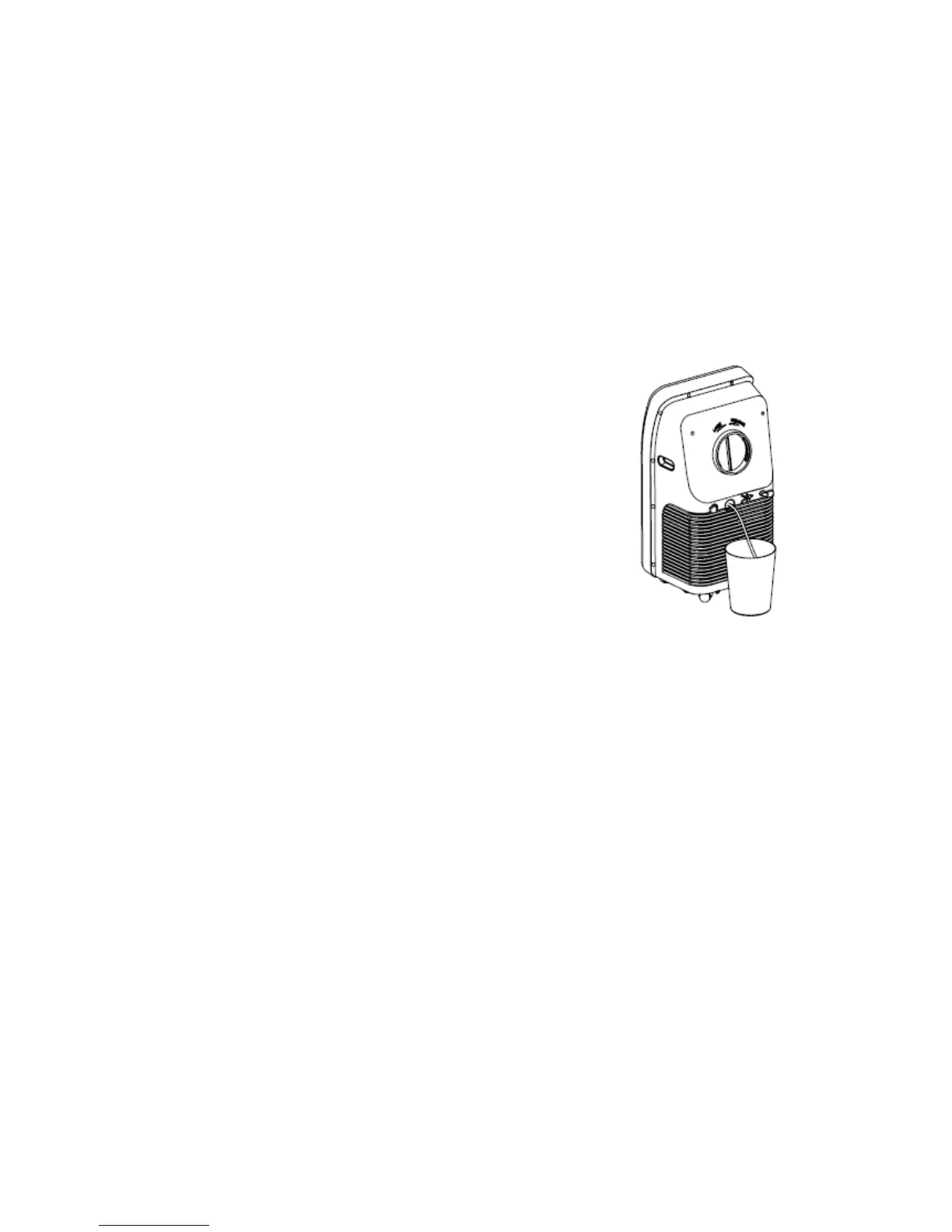
• Remove the dehumidification water drainage nozzle,
insert the water pipe, and place the other end of the
water pipe into the water vessel (bucket – not supplied)
or into a drainage passage, as shown in the right figure.
• After entering the dehumidifying mode, if the room
temperature is more than 15°, the compressor will work.
When room temperature is less than 13°, the compressor switches OFF; when
the temperature increases to more than 15°, the compressor will restart (in
order to protect the compressor, it will restart 3 minutes later).
• In dehumidifying mode, the fan is defaulted to run at low speed, and the fan
speed cannot be adjusted.
• Temperature cannot be set.
NOTE: When choosing the dehumidifying mode, please remove the exhaust pipe,
otherwise it will affect the dehumidifying performance and make the display window
show “FL”.
Auto-mode
• When pressing the mode button or choosing auto-mode by pressing the
remote control, the auto indicator will light up.
• After choosing auto-mode, the operation state is determined by ambient
temperature: when the ambient temperature is higher than 25°, the operation
state is the same as that of the cooling mode; when the ambient temperature
is lower than 25° the operation state is the same as that of the fan mode.


 To Next Page