www.PyleUSA.com www.PyleUSA.com
Name and Function of Each Part
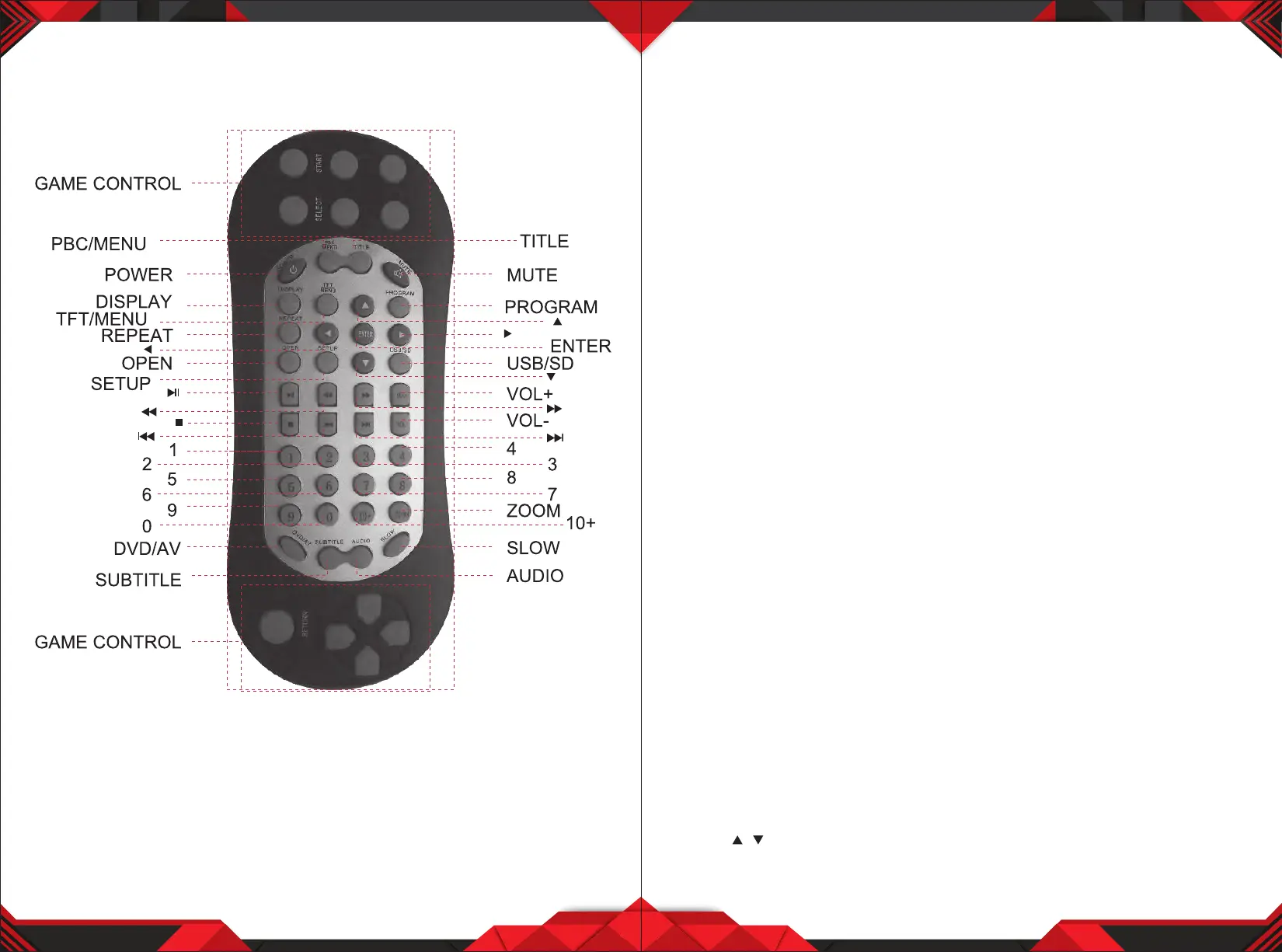
Remote Control Unit
Attention:
1. Direct the control to window of infrared receiver of the machine.
2. Do not press,drop and disassemble the remote control.
3. Continually press the keys on control with least two-seconds pause.
4. Please put out the battery when not using the control for a long time.
4 5
Method of Operating DVD System
Playing a disc (DVD/VCD/CD)
• Turn ON the player insert the DVD disc
• Make sure that the disc's label is facing up
• Sliding into the slot, the disc is automatically played
• To stop press the button STOP
• To stop temporarily press the button PLAY/PAUSE
Playing a MP3/MP4 file
• Turn on the player insert the SD/SUB
• Sliding into the slot, the SD/USB is automatically played
• To stop press the button STOP
• To stop temporarily press the button PLAY/PAUSE
• To resume again press the button PLAY/PAUSE
• To replay a song you want
1. Press the button after choosing a song (track) you want by using Arrow button
2. You can replay the song directly by entering the number of the song.
Disc Menu
• You can select the following menu when are recorded in discs.
• To display recorded menu on disc DVD/VCD 2.0
• Press the DVD Menu key
• The menu recorded in disc appears. (Scene Selection, Special Features, etc)
• Menu appears dierently depending on discs.
• CD, VCD1.1 does not have disc menu function
• Press the arrow keys to remove to item you want, and press the ENTER key.
MENU FUNCTION
• Press MENU key on the unit panel or press TFT/MENU key on remote control
• To enter into main menu:
PICTURE - VOLUME - OPTION - SYSTEM - CLOCK
Press to select submenu and take the corresponding setup.
/


 To Next Page