
 To Next Page
K
Kenneth MillerAug 12, 2025
What to do if Pyle PLRD146 has no picture?
- HHeather SmithAug 12, 2025
Ensure the equipment is correctly connected and that the connected monitor is turned on.

What to do if Pyle PLRD146 has no picture?
Ensure the equipment is correctly connected and that the connected monitor is turned on.
What to do if DISC ERROR is displayed on Pyle Automobile Accessories screen?
If you see 'DISC ERROR' on the screen, try turning the power off and then back on. If that doesn't work, turn the power off, disconnect the power plug, and then reconnect it.
Why Pyle PLRD146 remote control doesn't work properly?
If the remote control isn't working, make sure there are no obstacles between it and the remote control sensor. Also, try using the remote control from a closer distance.
What to do if Pyle Automobile Accessories has no power?
Check that the power cable is properly connected.
Why Pyle PLRD146 has no color?
The color system of your unit might not match the color system of your monitor. Check the color system of the unit.
What to do if Pyle Automobile Accessories picture stopped?
Verify that the video cable is properly connected and that the monitor is turned on.
What to do if there is moisture on the disc in Pyle PLRD146 Automobile Accessories?
If you've moved a disc from a cold place to a warm one, moisture might form on it, or condensation might appear on the pickup lens. Remove the disc from the multimedia player. Turn the power on and leave it on for about an hour to let the condensation vaporize. After that, you should be able to use the player without any issues.
How to improve poor playback picture on Pyle PLRD146?
Clean the disc.
Explains the lightning flash symbol indicating dangerous voltage.
Explains the exclamation point symbol for important operating instructions.
General warnings about operation while driving, servicing, handling, liquids, cleaning, and airbag obstruction.
Emphasizes the need for quality installations by qualified and certified installers.
Discusses battery drain from extended use and operating temperature limits.
Detailed description of all buttons and their functions on the remote control.
Instructions for playing DVD, VCD, and CD discs, including stopping and pausing.
Guide on playing MP3 and MP4 files from USB or SD cards, including replay options.
How to display and navigate disc menus using arrow keys and the ENTER button.
Steps to access and use the main menu options like Picture, Volume, and System.
How to adjust AV picture settings using the unit's menu and remote control.
Step-by-step guide for playing discs, including power on, insertion, and playback control.
Instructions for selecting FM channels using the unit or remote controls.
Using remote or panel buttons to control media and access settings.
How to configure system settings like Language, TV System, and Screen Save.
Overview of available Picture and Sound settings and their options.
Detailed configuration options for System (Language, OSD) and Player (TV System, Aspect Ratio).
Guidance on rotating the display for backup camera compatibility and reading menu text.
How to turn the unit ON/OFF and switch between input sources (Disc, AV1, AV2, HDMI).
Instructions for inserting and automatically playing CD/DVD discs and MP3s.
How to change the color of interchangeable housings using a release key.
Visual representation of wiring connections for audio, video, and power.
Details about DVD features, compatible disc types, and region code.
Lists disc types that cannot be played on the unit.
States the region code of the DVD player and copyright protection information.
Guidelines on how to properly handle and clean discs to prevent damage.
Proper methods for storing discs to prevent damage and ensure longevity.
How to clean discs for optimal sound/picture quality, including wet cloth use.
Warning against playing irregularly shaped discs, as they can damage the player.
A table listing common problems and their solutions.
Steps to resolve disc playback issues caused by condensation or moisture.
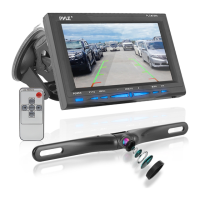
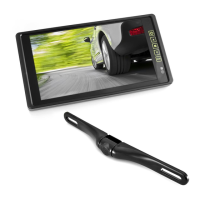
Lists all items included in the product package.
Detailed technical data for the monitor, including resolution, brightness, and dimensions.
 General
| Input Voltage | 12V DC |
|---|---|
| Aspect Ratio | 16:9 |
| Digital File Playback | Yes |
| USB Input | Yes |
| SD Card Input | Yes |
| AV Input | Yes |
| AV Output | Yes |
| Media Format Support | MP3, WMA |
| Video System | NTSC/PAL |
| Disc Playback | DVD, VCD |