www.PyleUSA.com
5
B. REPEAT BUTTON: This button allows you to play the music in repeat mode
(All or Single mode)
ALL - All tracks in the USB or SD CARD will be repeated in order without interruption.
SINGLE - Repeat the track that was current playing.
C. PREV BUTTON: Use this button to select each of function depending on these
three dierent modes as below.
• In USB/SD mode, use to select previous track.
• In FM/BLLUETOOTH mode, use to select previous channel.
• In FM/BLUETOOTH mode, hold this button will decrease the volume.
D. NEXT BUTTON: Use this button to select each of function depending on these
three dierent modes as below.
• In USB/SD mode, use to select next track or folder,.
• In FM/BLUETOOTH mode, use to select next channel.
• In FM/ BLUETOOTH mode, hold this button will increase the volume.
E. PLAY/PAUSE BUTTON: Each press of the PLAY/PAUSE BUTTON causes the
operation to change from play to pause or from pause to play in the USB/SD
mode or BLUETOOTH mode.
• Presses the PLAY/PAUSE BUTTON one time to auto scan all frequencies from
87.5MHz to 108MHz in FM mode, the unit will auto store the channel.
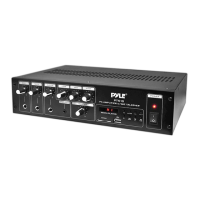
6. LEVEL LED: The rst LED in the left is the power indicator. It will light on when the
unit is on. Other LED Lights are for level indicators.
7. AUX INPUT: Connects to a MP3 player or Ipod with 3.5mm Jack.
8. SIREN: Press this button to alarm if there is any emergency situation.
9. MP3 PLAYER VOLUME CONTROL: Turn this knob to adjust the volume of AUX
input sources.
10. MICROPHONE 2 VOLUME KNOB: Turn this knob to adjust the volume of MIC2.
11. MICROPHON E 1 VOLUME KNOB: Turn this knob to adjust the volume of MIC1
12. MICROPHONE INPUT 2 JACK: MIC 2 Input Jack for connecting an unbalanced
low impedance microphone with 1/4” TRS plug.
13. MICROPHONE INPUT 1 JACK: MIC 1 Input Jack for connecting an unbalanced
low impedance microphone with 1/4” TRS plug.
14. LOW TONE CONTROL: Turn this knob to adjust the bass of the corresponding
output signals.
15. HIGH TONE CONTROL: Turn this knob to adjust the treble of the corresponding
output signals.
16. AUX1/2 VOLUME KNOB: Turn this knob to adjust the AUX1/2 output signal
level
17. FM ANTENNA CONNECTOR: Connect for FM antennas.


 To Next Page