TIME CLOCK & DOCUMENT STAMP
Model 3500/3700
8 USING TIME CLOCK
USING TIME CLOCK
1
2
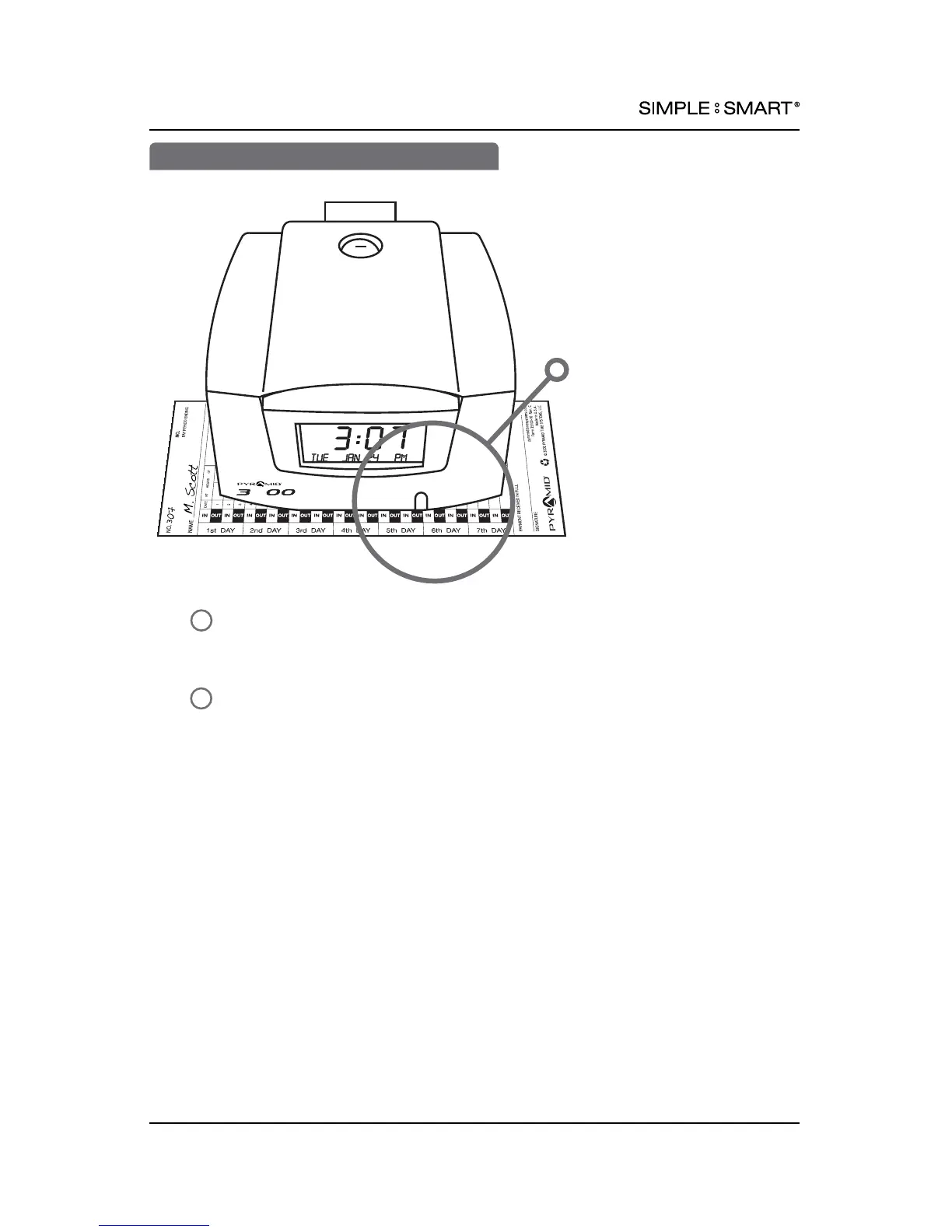
To punch time card or stamp document, gently feed time card (35100-10,
35100-10S, or 35100-10F) or document into slot at base of time clock.
Use indicator to align time card or document to desired time stamp location.
Continue to feed time card or document until the print actuator is activated.
Align time card or
document with indicator
for desired time stamp location
5











 To Next Page