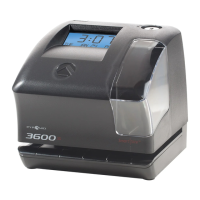
TIME CLOCK & DOCUMENT STAMP
Model 3500/3700
5pyramidtimesystems.com FEATURES SETUP
3500/3700 TIME CLOCK & DOCUMENT STAMP
:
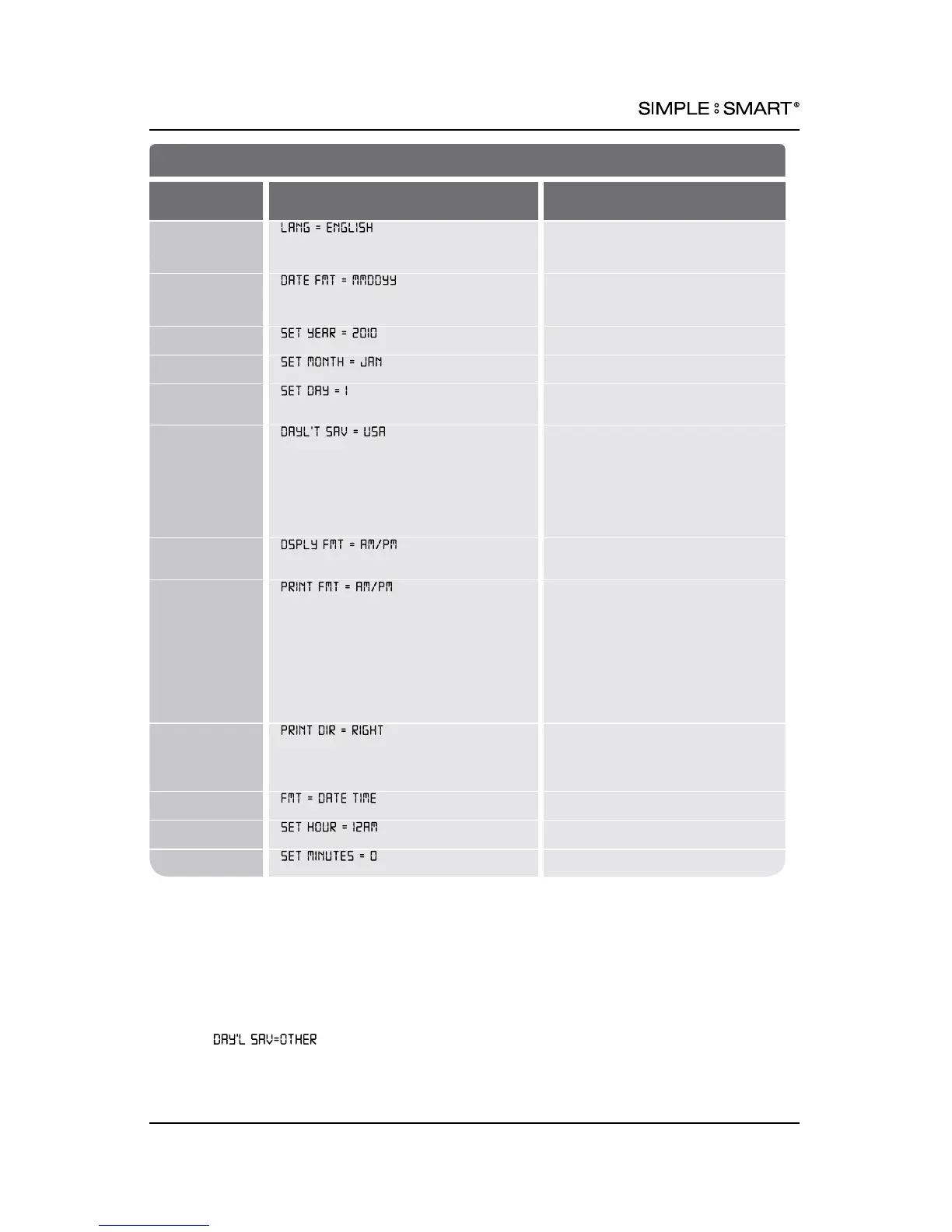
FEATURES SET UP
FEATURE
(SELECT)
DISPLAY
OPTIONS (SCROLL st)
Set Language
ENGLISH,
French (FRANCAIS),
Spanish (ESPANOL)
Set Date
Format
MM/DD/YR (USA),
DD/MM/YR (EURO),
YY/MM/DD
Set Year
DISPLAYED YEAR +/- 1 Year
Set Month DISPLAYED MONTH +/- 1 Month
Set Date DISPLAYED DATE +/- 1 Day
Set Daylight
Savings Time
(DST) Rule
USA: USA DST: Begins 2nd
SUN of MAR, Ends 1st SUN of NOV
EURO: European DST: Begins Last
SUN of MAR, Ends Last Sun of OCT
OTHER: Set a custom DST Rule.
1
OFF: No adjustment for DST.
Set Format
AM/PM: 12 Hour,
MIL: Military, 24 Hour
Set Printed
Time Format
AM/PM: 12 Hour (e.g. 3:30PM)
MIL: Military, 24 Hour (e.g. 15:30)
ATAAP: Military, 24 Hour, Minutes
expressed in hundredths of one hour
(e.g. 15.50)
24H.1: Military, 24 Hour, Minutes
expressed in tenths of one hour
(e.g. 15.5)
Set Print
Direction
Right = Print on the right side of
time card.
Left = Print on the left side of time
card.
Set Format
SEE PRINTING FORMAT PAGE 6
Set Hour DISPLAYED HOUR +/- 1 Hour
Set Minutes DISPLAYED MINUTE +/- 1 Minute
1
SELECT . SCROLL & SELECT START & END SUNDAY (Available options are
the 1
st
, 2
nd
, 3
rd
, 4
th
and last Sunday of each month). Remember: The number of weeks in a
given month changes each year. You will have to reprogram your custom DST if either the
START or END date falls on the last day of the month.











 To Next Page