PYRAMID TIMETRAX BIO ETHERNET QUICK START GUIDE
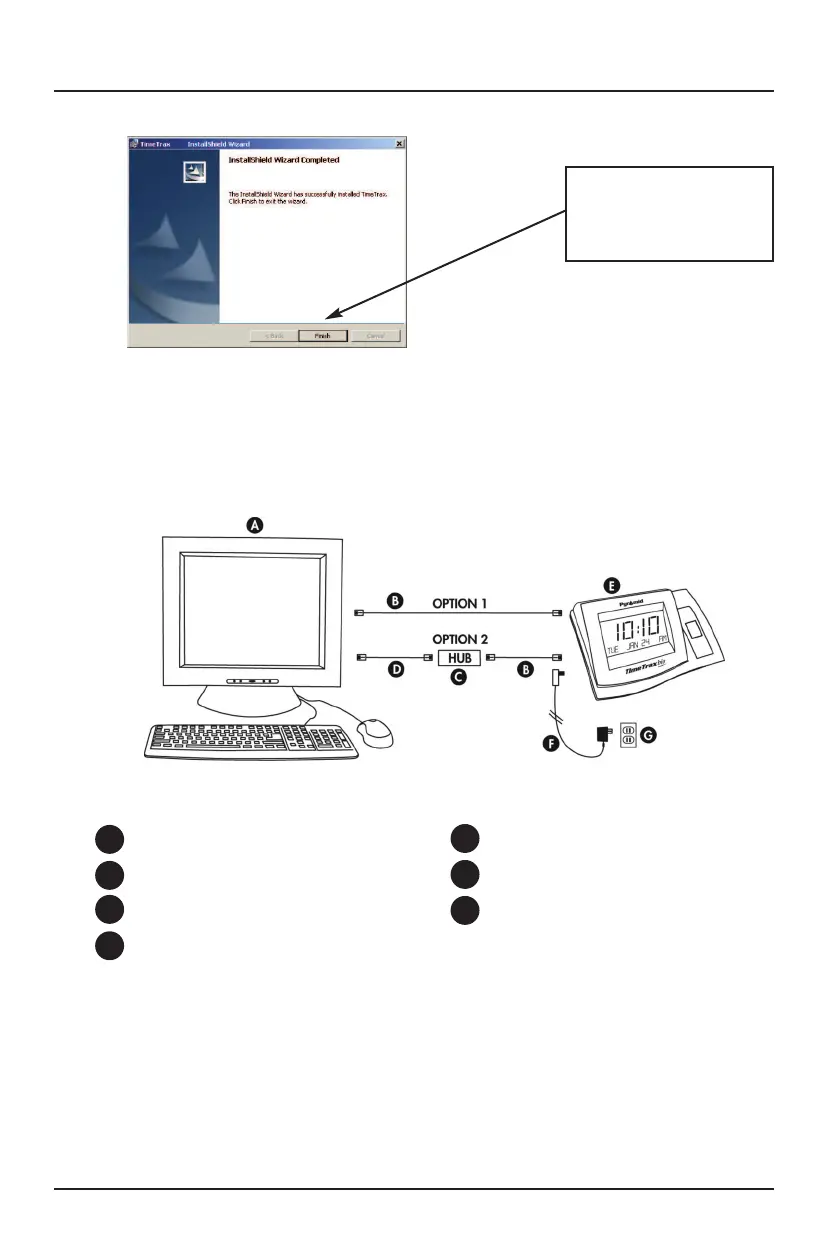
When installation is
complete, click FINISH
and Restart your
computer.
CABLE INSTALLATION
PARTS REFERENCE
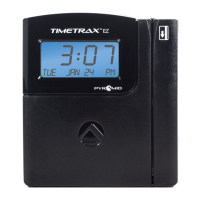
PC
Cat5 Ethernet Cable (included)*
Ethernet Hub (not included)**
Communication Ethernet Cable (not included)*
TWO OPTIONS ARE AVAILABLE FOR CONNECTING THE
PYRAMID TIMETRAX ETHERNET TERMINAL TO YOUR PC.
You are now finished installing the Pyramid TimeTrax software onto your
PC. We highly recommend restarting your computer before you proceed.
NOTE: Do not continue using the software until the terminal(s) is
completely connected with all cables and power supply.
A
E
F
G
B
C
D
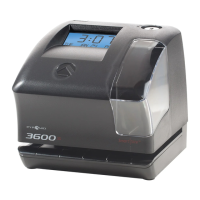
TimeTrax Terminal (included)
DC Power Supply (included)
Wall Power Outlet
OPTION 1:
PC HAS an available open Ethernet port.
Connect the DC power supply (Fig. F) to a standard wall power outlet
(Fig. G) and to the TimeTrax terminal (Fig. E). Connect the Cat5 Ethernet
cable (Fig. B) to the back of your PC (Fig. A) and to the back of the
TimeTrax terminal. (Fig. E)
2



 To Next Page