
 Need help?
Do you have a question about the Pyronix Wireless KF4-WE and is the answer not in the manual?
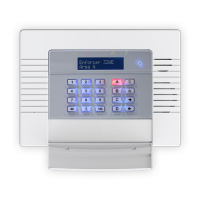
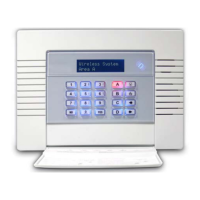
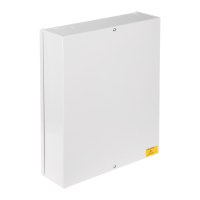
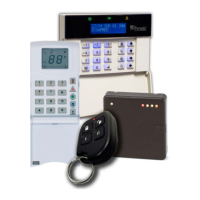
Overview of the main Enforcer 32-WE control panel unit and its interface.
Guidance on entering and exiting the Engineer Menu for system configuration and setup.
Step-by-step guide to learning wireless input devices like sensors and detectors.
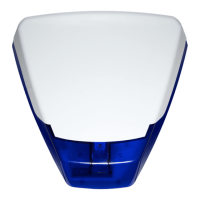
Instructions for learning external sounders (bells) to the Enforcer 32-WE system.
Procedure for learning keyfobs and managing user codes, including deletion.
How to perform signal strength tests for wireless devices to ensure reliable installation.
Procedure for checking the battery status of all wireless inputs and bells.
The Enforcer 32-WE is a two-way wireless alarm system designed for security applications, offering a range of wireless devices for comprehensive protection. This system is intended for quick setup, focusing on the learning of inputs, bells, and keyfobs.
The Enforcer 32-WE serves as the central control panel for a network of wireless security devices. It is capable of learning and managing various types of wireless peripherals, including detectors, contacts, sensors, external sounders, and keyfobs. The system is designed to detect intrusions, monitor environmental conditions, and provide alerts through its integrated siren and external sounders.
The core functionality revolves around its ability to wirelessly communicate with and manage up to 32 wireless inputs (detectors, contacts, sensors), 2 external sounders (bells), and 32 keyfobs. Each device is learned into the system, assigned a specific input number, and can be configured with various operational parameters.
The system incorporates advanced signal strength and battery test mechanisms to ensure reliable operation. It continuously monitors the signal strength between the control panel and all wireless devices, providing feedback on the quality of the wireless link. This is crucial for optimal placement of devices during installation. Additionally, it monitors the battery status of all connected wireless devices, alerting users when batteries need to be replaced.
Fault displays are an integral part of the system's functionality, providing clear indications of any issues. These include wireless mismatch faults (when an input type is assigned but no device is learned, or vice versa), wireless tamper alerts (if a device is tampered with), battery low warnings, wireless supervision faults (if a device fails to communicate within a set time), jamming detection (if wireless interference is present), and wireless poll faults (if no polls are received from a device).
The system supports different input types for detectors and contacts, such as "Final Exit" and "Intruder," allowing for flexible configuration based on the security needs of different zones. It also offers site options to customize its behavior, such as allowing the system to set even with a polling fault or enabling fob unset entry, which restricts keyfob unsetting to the entry time countdown. Wireless bell supervision is another feature, where the bell performs its own supervision and jamming protection, alarming if either condition occurs.
The Enforcer 32-WE is designed for ease of use, both during installation and daily operation. The system features an intuitive keypad interface for programming and status display.
Upon initial power-up, the system displays "ENFORCER 32-WE" and the current time, indicating it's ready for programming. Accessing the Engineer Menu, which is password-protected, allows installers to configure all aspects of the system. The menu provides options for learning devices, diagnostics, and setting wireless functions and timers. Exiting the Engineer Menu returns the system to Day Mode.
The learning process for wireless inputs, bells, and keyfobs is straightforward. For inputs and bells, the system enters a "Learning" mode, during which the installer presses and holds the 'LEARN' button on the device until its LEDs cycle. A successful learn is indicated by a brief GREEN LED flash on the device and "Input Learnt" or "Bell Learnt" on the keypad. If a device has already been learned, "Input Learnt Already!" or "Bell Learnt Already!" will be displayed. It is recommended to learn all wireless inputs and bells at the control panel before final installation to expedite the process.
Keyfobs are learned from the Master Manager menu. During the learning process, any button on the keyfob must be held until its LEDs flash GREEN and RED, then released. A successful learn is indicated by a GREEN LED, asterisks on the keypad, and an acknowledgment beep. Keyfob buttons can be programmed for various actions, including showing status, setting/unsetting specific areas, latching or timing outputs, or triggering a personal attack.
Inputs and bells can be deleted either collectively or individually through the Engineer Menu. Keyfobs are deleted from the "CHANGE CODES" menu by selecting "Delete User."
The diagnostics function is crucial for verifying the installation. It allows installers to check the signal strength of all wireless inputs and bells. After entering the signal strength test, the system monitors devices for 5 minutes, performing tests every 16 seconds. Results are displayed as "Missing," "Weak signal," "Good install position," or "Excellent signal." The wireless device LEDs also provide a visual indication of signal strength (GREEN for good, RED for bad). A detailed signal strength reading (e.g., "Excellent [50 to 100]") is available for individual inputs.
The battery status of each wireless device can also be checked through diagnostics. The system indicates "Testing," "Good" (at least one month of battery life remaining), or "Replace" (battery needs immediate replacement).
The system offers configurable wireless functions:
Two important timers can be configured:
The Enforcer 32-WE includes several features to aid in system maintenance and ensure long-term reliability.
The system actively monitors the battery levels of all wireless devices. When a "Battery Low" message is displayed for a keyfob, input, or bell, it indicates that the battery should be replaced within 28 days. This proactive warning helps prevent system downtime due to dead batteries. The diagnostics menu provides a detailed battery status for each device, allowing for targeted maintenance.
The comprehensive fault display system is a key maintenance feature. When a fault occurs, the system clearly indicates the type of fault (e.g., "Wireless Mismatch," "Wireless Tamper," "Wireless Supervision," "Jamming," "Wireless Poll Fault") and often specifies the input or bell number affected. This allows installers or users to quickly identify and address issues. For instance, a "Wireless Mismatch" suggests a configuration error, while a "Wireless Tamper" indicates a physical security breach. "Jamming" faults prompt a check for wireless interference, and "Wireless Poll Faults" suggest testing signal strength or battery on the affected device.
The signal strength test, accessible through the diagnostics menu, is not only for initial installation but also for ongoing maintenance. If a device starts reporting intermittent issues or supervision faults, re-running the signal strength test can help determine if the device's location is still optimal or if environmental changes are affecting wireless communication. This helps in repositioning devices if necessary to maintain an "Excellent" or "Good" signal.
For each wireless peripheral (e.g., MC1MINI-WE, MC2-WE, MC1SHOCK-WE, KX12DT-WE), the manual provides specific installation notes. These typically recommend learning the device at the control panel and then performing a signal strength test to ensure optimal placement and wireless range. Advice on mounting surfaces is also provided, noting that devices can be mounted on common building materials like wood, PVC, brick, or metal. If problems arise with specific surfaces, customer support contact information is provided.
The manual includes instructions for replacing the battery in the KF4-WE keyfob, detailing the steps to open the casing and insert a new battery. The LEDs on the keyfob provide feedback during this process, including flashes indicating a fault with a new battery if not installed correctly.
Specific instructions are given for installing the battery in the Deltabell-WE external sounder, differentiating between square and round battery types and emphasizing the importance of replacing "like with like" due to different battery types not being interchangeable.
These maintenance features collectively contribute to the system's reliability and ease of upkeep, allowing users and installers to quickly diagnose and resolve issues, ensuring continuous and effective security.
 General
| Type | Wireless Keyfob |
|---|---|
| Buttons | 4 |
| Operating Frequency | 868MHz |
| Operating Temperature | -10°C to +50°C |
| Wireless Technology | Two-Way Wireless Technology |
| Battery Life | 2 years |






 To Next Page