EasyManua.ls Logo

Python 7142P - User Manual

Python 7142P
24 pages
Print Icon
To Next Page IconTo Next Page
Loading...
i
© 2011 Directed Electronics. All rights reserved.
Congratulations
Congratulations on the purchase of your state-of-the-art keyless entry
and remote start system. Reading this Owner’s Guide prior to using
your system will help maximize the use of your system and its many
features. For more information please visit us online at:
www.pythoncarsecurity.com.
For any additional questions please contact your authorized Directed
dealer or Directed at 1-800-753-0600. Additional support is also
available at: http://support.directed.com
What's included
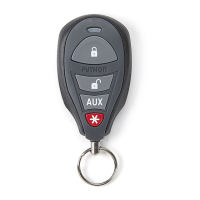
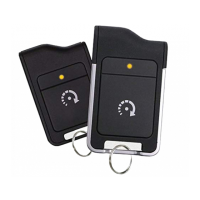
s Two 4- button 1-way remote controls (P/N 7142P)
s Your warranty registration card
s This owner's guide
Warranty
Card
Owner’s
Guide
Guide translations
For a Spanish or French version of the Owner's Guide, please download it
from www.directechs.com under Resources.
Estimado Cliente:
Si buscas los guías de propietario, por favor de bajar lo del Resources en el
sitio www.directechs.com
Cher consommateur:
Si vous désirez une version française ou espagnole du guide d’utilisation,
veuillez s.v.p. le télécharger à l’adresse suivante: www.directechs.com en ap-
puyant sur l’icône <<Resources>>.
Question and Answer IconNeed help?

Do you have a question about the Python 7142P and is the answer not in the manual?

Python 7142P Specifications

General IconGeneral
BrandPython
Model7142P
CategoryRemote Control
LanguageEnglish

Summary

Congratulations

Whats Included

Guide Translations

Important Information

Warranty and Maintenance

Covers warranty validation, system maintenance, and replacement parts for the remote.

Safety and Regulations

Includes government regulations and essential safety warnings for system operation.

Remote Control Information

Basic Commands

Explains fundamental remote button functions like Lock, Unlock, and Remote Start.

Remote Control Functions

Auxiliary Functions

Details secondary functions like trunk release, car finder, defogger, and timer mode.

Using Your System

Locking, Unlocking, and Starter Kill Override

Details locking/unlocking and manually disabling the starter kill.

System Operations

Panic Mode and Remote Start

Explains activating Panic Mode and using the remote start feature.

System Features

Driving After Remote Start and Defogger Control

Details driving procedures and controlling the rear defogger.

System Operations - Part 2

Valet Take-Over Feature

Explains how to leave the vehicle running after removing the key.

System Operations - Part 3

Car Finder and Timer Mode

Details activating the car finder and operating the timer mode.

Starter Anti-Grind Circuitry

Disabling Remote Start System

Explains how to temporarily disable the remote start system for service.

Ignition Controlled Door Locks

Rapid Resume Logic

Owner Recognition Feature

Programming Options

Glossary of Terms

Convenience Expansions

Patent Information

Government Regulations

Warning! Safety First

Caution

Interference

Upgrades

Water;Heat Resistance

Limited Lifetime Consumer Warranty

Related product manuals