Accept / end a call
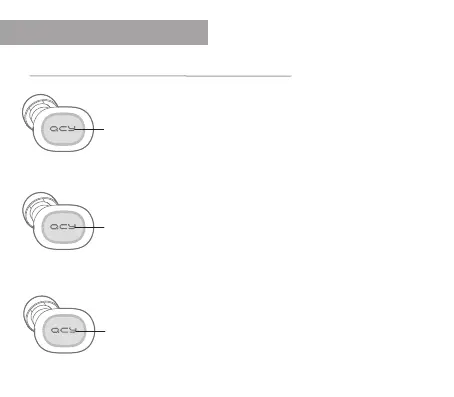
Briey press the QCY button on the right earphone to
answer a call. Press the button briey on the left earphone
to end the call.
Switch audio output
If you want to use the speakers and microphone of your
smartphone during a call, press and hold the QCY button
for one second. The headphones then turn o for the time
of the call.
Mute the microphone
During the call, press the multifunction button twice to
activate or deactivate the microphone.
shortpress
pressandhold
2xpress
FUNCTIONS
Call


 To Next Page