FUNCTIONS
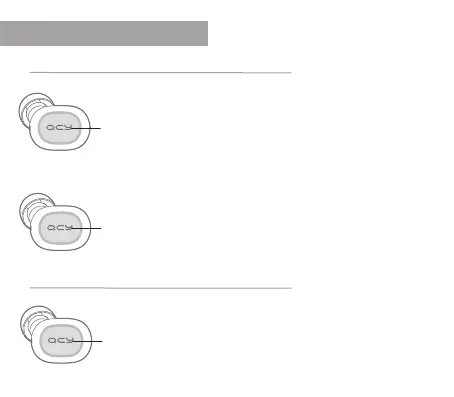
Pause music
Briey press the QCY button to pause the music playback.
Also briey press the button to play the music again.
Song forward / backward
To Next: Press the QCY button on the right earphone twice.
To Previous: Press the QCY button on the left earphone twice.
While the headphones are connected, press and hold the QCY
button for one second to activate the voice assistant on your
smartphone.
Iphone: You activate Siri Android: You activate Google
gedrückt
halten
2xpress
press
Voice assistant
Play Music


 To Next Page