STEP 2
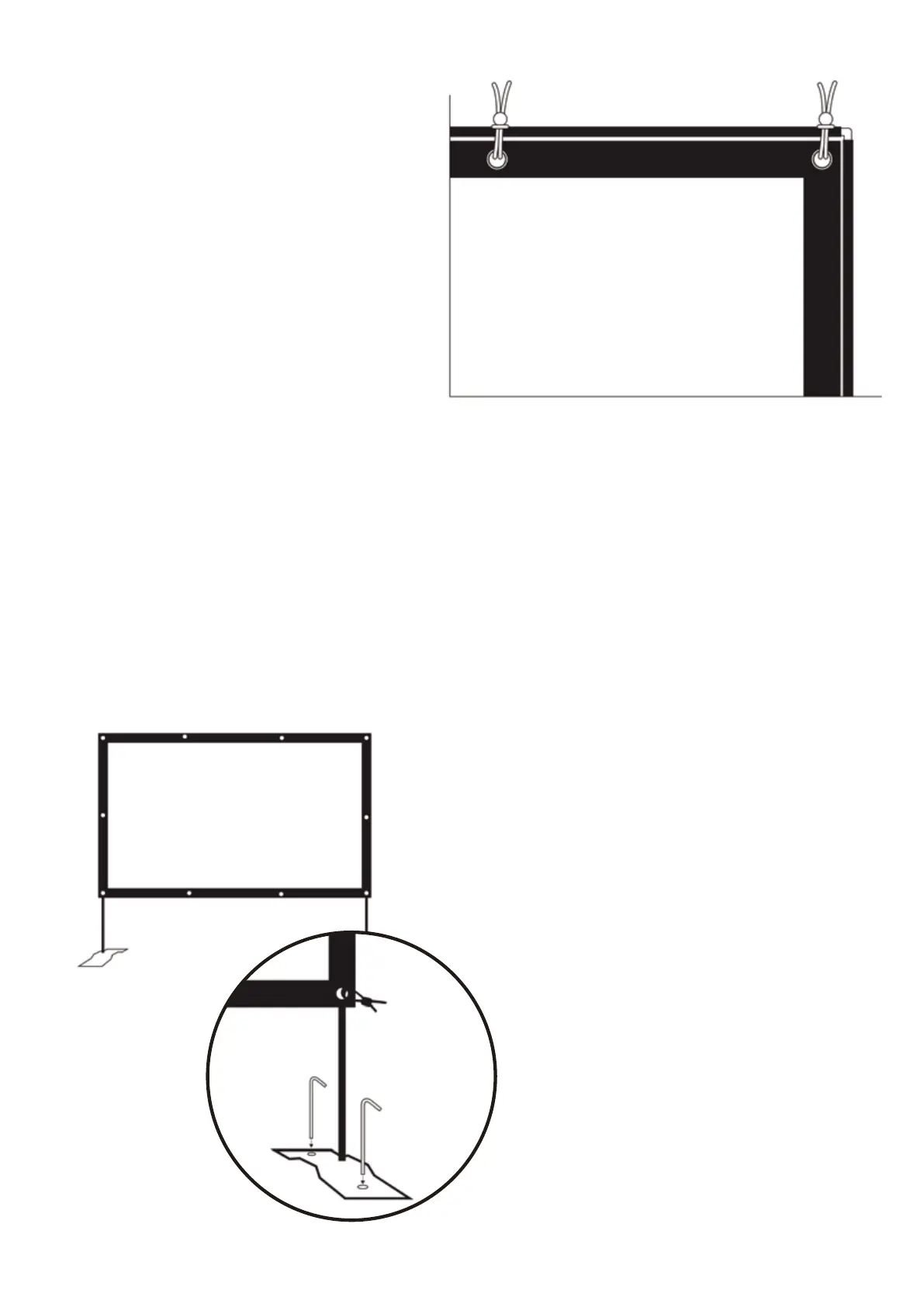
• Use the elastic ties to secure the screen
to the poles.
• To secure the screen to the poles: insert
a tie through the metal grommet, wrap
around the pole and pull the fastener tight.
• To ensure the screen is flat, secure the
corners ties in this order:
• Top Left Corner
• Bottom Right Corner
• Top Right Corner
• Bottom Left Corner
STEP 3
• Once the ties secure the screen to the poles,
rotate the fasteners behind the screen.
• Place the screen in area that you wish to use
it in and attach the bottom feet so it stands
freely.
• If using outside, use the 4 outdoor metal
stakes to secure the metal feet to the ground.
Insert one stake into each of the two holes
located on the metal feet.
• Top middle left
• Bottom middle right
• Top middle right
• Bottom middle left
• Side left
• Side right
Once the corners are secure, attach the middle ties. Follow this order to make sure the screen is flat:


 To Next Page