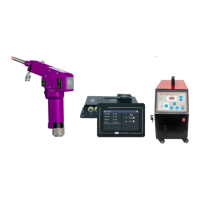
BWT20 Qilin double swing handheld laser
28
parameter setting:
gas control:
Advance quantity: when starting processing, it can be set.
When the external start button is pressed, the air blow delays for a
period of time, and then the laser starts.
Delency: When stopping processing, the delay can be set. When stop processing,
stop the laser first,
After a time delay, then stop blowing.
Proportional valve: if the equipment is connected to the proportional valve
control, the air flow size can be controlled.
Start lift:
Slow rise time: the laser power slowly reaches the peak power after the set slow
rise time.
Slow descent time: After the laser power is turned off, the laser energy is slowly
turned off.
Light off delay: after closing the laser when set for 100ms, the full power input is
100ms to optimize the wire breaking function.
Red light offset setting:
Red light offset setting: When the red light is not in the center position of
the nozzle, it can be adjusted through the red light offset setting position of X and Y
coordinates.
Start correction: save the set offset parameters to the system and zero the
display coordinates.
Clear correction: Clear the set offset parameters and reset the display
coordinates.
SN and language settings:
System SN identification code: Product Serial number.
Firmware version: is the version currently used by the system.
Available period (days): usable period, all functions are invalid after
expiration.(Automatic reminder within 7 days)
Registration code: used for decryption. After receiving the registration code,
enter and click confirm to decrypt.
Language: English, Russian, Korean, Vietnamese, Japanese, Chinese


 To Next Page