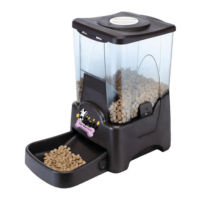
Qpets Large Capacity Automatic Pet Feeder can be set to feed your pet up to four
different times in one day. Feeding time(s) and amount of food dispensed are adjustable.
Easily record a 6 seconds personal voice message that will play at each scheduled
feeding. Control panel clock/timer can display a 12 or 24 hr format.
4 D-size batteries are required (a red LED indicator will light up when batteries are low.).
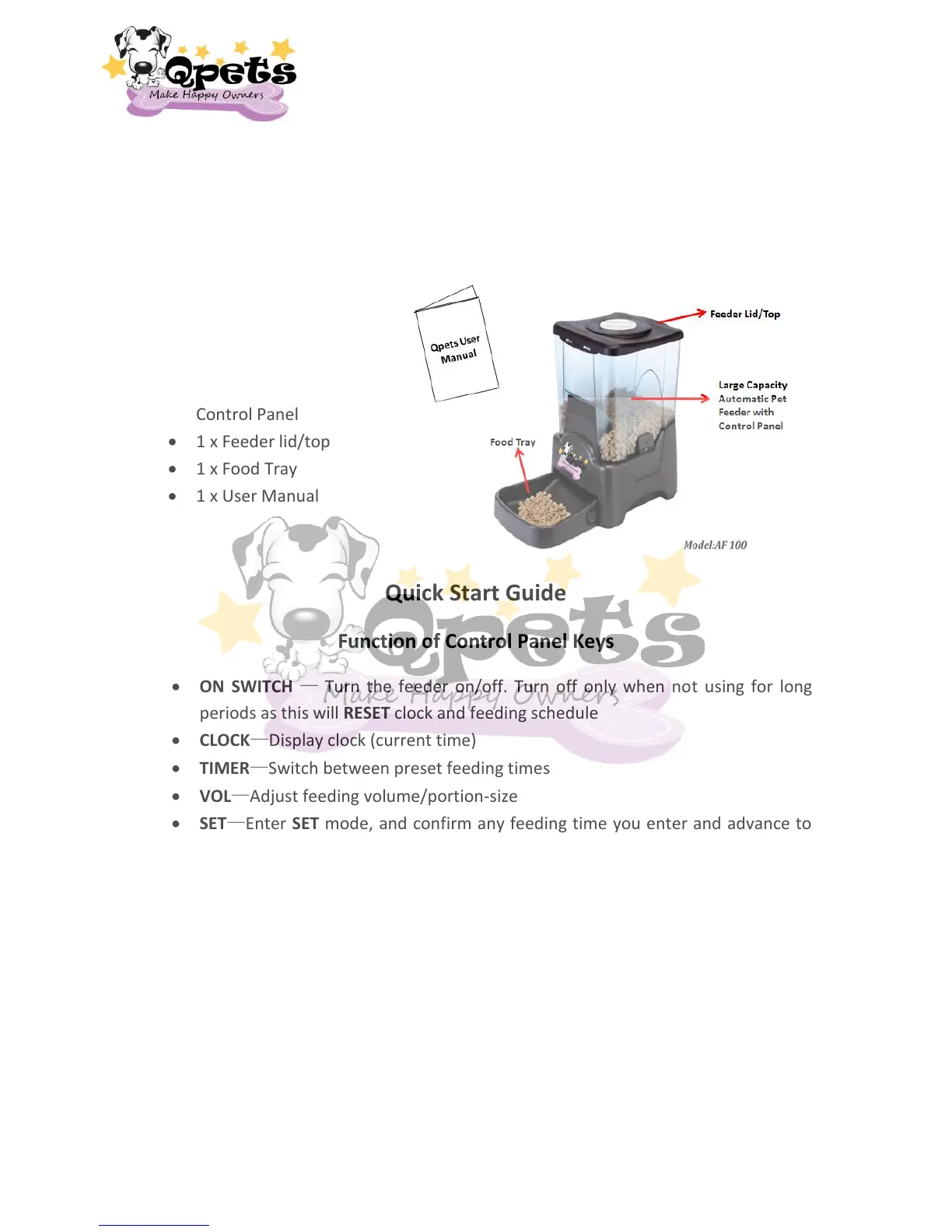
Components:
1 x Qpets Large Capacity
Automatic Feeder with
Control Panel
1 x Feeder lid/top
1 x Food Tray
1 x User Manual
Quick Start Guide
Function of Control Panel Keys
ON SWITCH — Turn the feeder on/off. Turn off only when not using for long
periods as this will RESET clock and feeding schedule
CLOCK—Display clock (current time)
TIMER—Switch between preset feeding times
VOL—Adjust feeding volume/portion-size
SET—Enter SET mode, and confirm any feeding time you enter and advance to
the scheduled next feeding time. Also use with VOL key to perform manual
feeding
START—Start the feeding schedule, confirm the clock and feeding time settings
DAY—Set the number of days to feed
REC—Record your personal voice message
PLAY—Play back your personal voice message
2


 To Next Page