25
CH CH
TD-000368-05-A
实用工具
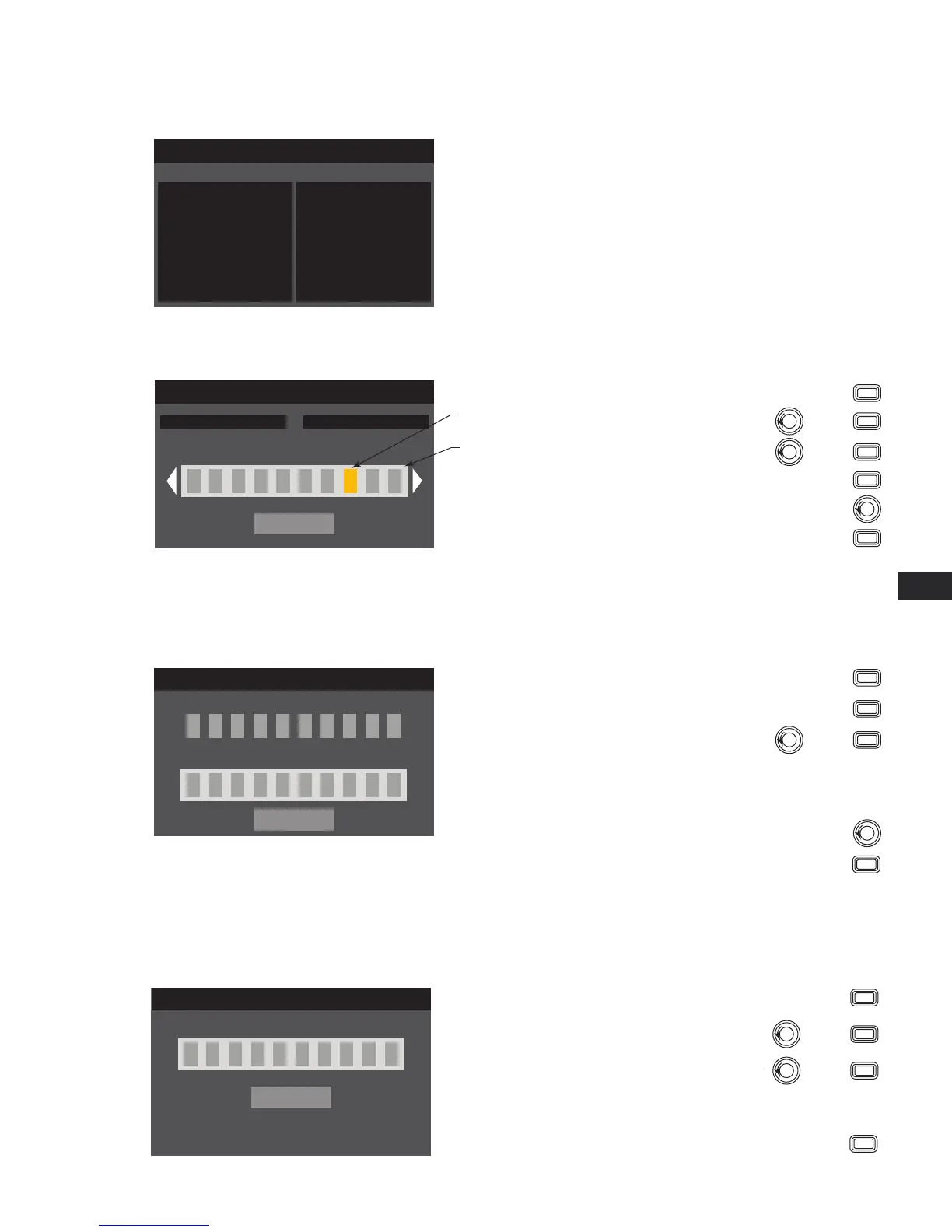
主屏幕>实用工具>状态>输入
步骤 1 —
检查放大器的使用情况
UTILITY - STATUS
Amp Total Run Time: 22:37:48 Hrs
Hardware: V12
Firmware: V1.0.22
DC Status: OK
VRail 1: 148V
VRail 2: -150V
Temperature:
CH1 & CH3: 27C
CH2 & CH3: 29C
Power Supply: 24C
Temperature (PLD 4.3 & 4.5)
Thermal Limiting starts at 69ºC
Thermal Shutdown at 80ºC
Amp Total Run Time:
HH:MM:SS
Hardware version
Firmware version
update thru Amplifier Navigator
DC Status:
VRail 1 = +147VDC +/- 5V typical
VRail 2 = -147VDC +/- 5V typical
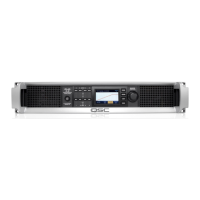
主屏幕>实用工具>放大器ID>输入
步骤 2 —
为放大器命名
UTILITY - AMP ID
CONFIRM
Change Amp ID to:
Serial #: 123abc Amp ID: my amp ID
m y a m p I D
Press
ENTER
Scroll to CONFIRM
To edit “Change Amp ID to:”, press
ENTER
Scroll to desired letter position
press
ENTER
Turn to select desired character
press
ENTER
Up to 21 characters
A - Z / a - z / 0 - 9 /
_ / - / space
Indicates “New
Preset Name”
is selected
Indicates editing
When you are finished, press
EXIT
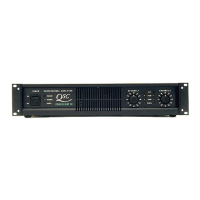
主屏幕>实用工具>密码>输入
所有放大器的默认密码为 QSC - 均为大写。密码区分大小写,最长可为 10 个字符,并包含:
A - Z a - z 0 - 9 _ - space
步骤 1 —
添加或更改密码
UTILITY - CHANGE PASSWORD
CONFIRM
Current Password:
Q S C
M Y p a s w os r
New Password:
Press
ENTER
Scroll to CONFIRM
To enter “Current Password:”, press
ENTER
With the first letter position selected, press
ENTER
Turn to select desired character
press
ENTER
When you complete the current password,
the “New Password:” is automatically selected
Repeat the procedure for the “New Password:”
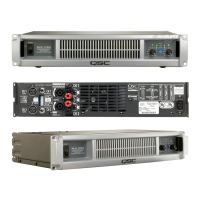
主屏幕>实用工具>锁定>输入
除了 Mute 按钮、前后面板电源按钮、Enter 按钮和Master Control 旋钮可解锁放大器,而其他控件均被锁定。
步骤 2 —
输入密码以锁定/解锁
UTILITY - LOCKOUT
CONFIRM
Enter Password:
m y p a s w os r
To lock or unlock the amplifier, press
ENTER
With “Enter Password:” selected, press
ENTER
With the first letter position selected
press
ENTER
Scroll to desired character
press
ENTER
When you complete the password correctly,
CONFIRM is automatically selected.
要编辑“更改放大器 ID”,按下
要输入“当前密码:”,按下
输入当前密码后,
“新密码:”会自动选中
在选择的首个字母位置,按下
为“新密码:”重复操作
滚动至所需字母位置 按下
跳转至选择所需字符
跳转至选择所需字符
按下
按下
选择结束后,按下
滚动至“确认”
滚动至“确认”
按下
按下
表示正在编辑
表示已选择“新的预
配置名称”
多达 21 个字符
A - Z / a - z / 0 - 9 /
_ / - / space
放大器总运转时间:
HH:MM:SS
硬件版本
固件版本
通过“放大器导航”更新
DC 状态: VRail 1 = +147VDC +/- 5V typical
VRail 2 = -147VDC +/- 5V typical
温度 (CXD 4.3 & 4.5)
温度到达 69ºC 时开始热限制
温度到达 80ºC 时热关机
选择“输入密码:”,按下
在选择的首个字母位置 按下
滚动至所需字符 按下
正确输入密码后,“确认”会自动选中。
要锁定或解锁放大器,按下


 To Next Page