Appendix A - Headset battery fitting
Headsets should always be placed in the charger when not in use. The battery should not be removed
from the headset except when being replaced.
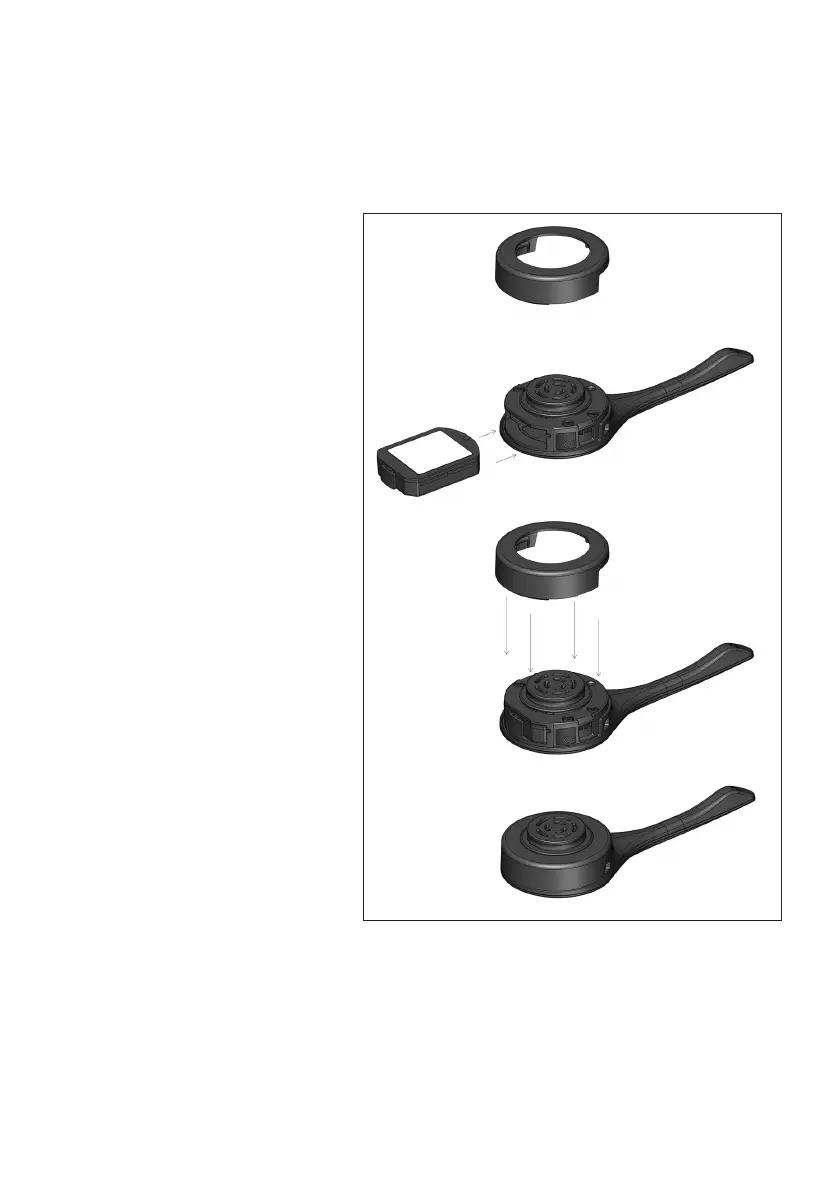
Battery fitting and removal
1. The headset will ship without the
battery inserted. Unclip and remove
the circular battery cover, there are
two small gaps to gently pry the cover
off with your nail or a soft plastic lever.
Slide in the battery into position.
2. Replace the circular battery cover
gently snapping it back into position.
3. Battery removal is the reverse
process.
page 10
2
3
1



 To Next Page